Shoot it once.
Grade it like cinema.
Filmode turns your camera roll into a color-grading suite — film LUTs, a live-filter camera, and pro adjustments that feel like play.

or open the web camera right in your browser

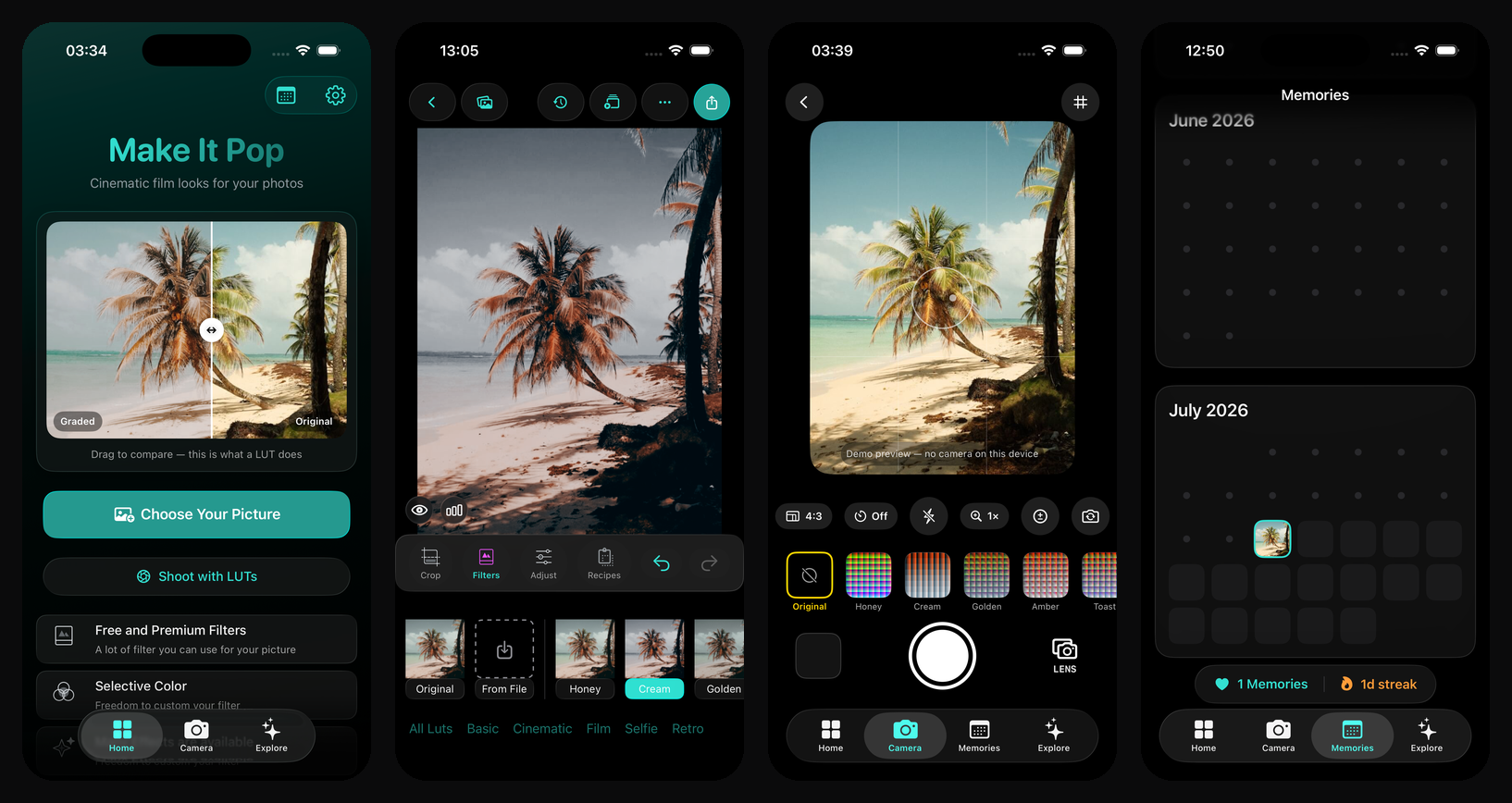
Film LUTs
Basic, Cinematic, Film and Selfie collections — previewed on your photo, not a stock one.
Live LUT camera
Compose with the final look. The filter is baked in the instant you press the shutter.
Pro adjustments
Exposure, HSL, tone, sharpen, vignette and more — with haptic sliders and instant compare.
Projects
Every session is saved automatically. Reopen any edit, tweak the recipe, batch-apply it.
Trending looks, one tap away
The same templates rail that opens in Explore. Tap a look on your phone and Filmode opens straight into the editor, ready for your own photo.








Opens the Filmode app. Don't have it yet? The button takes you to the App Store.
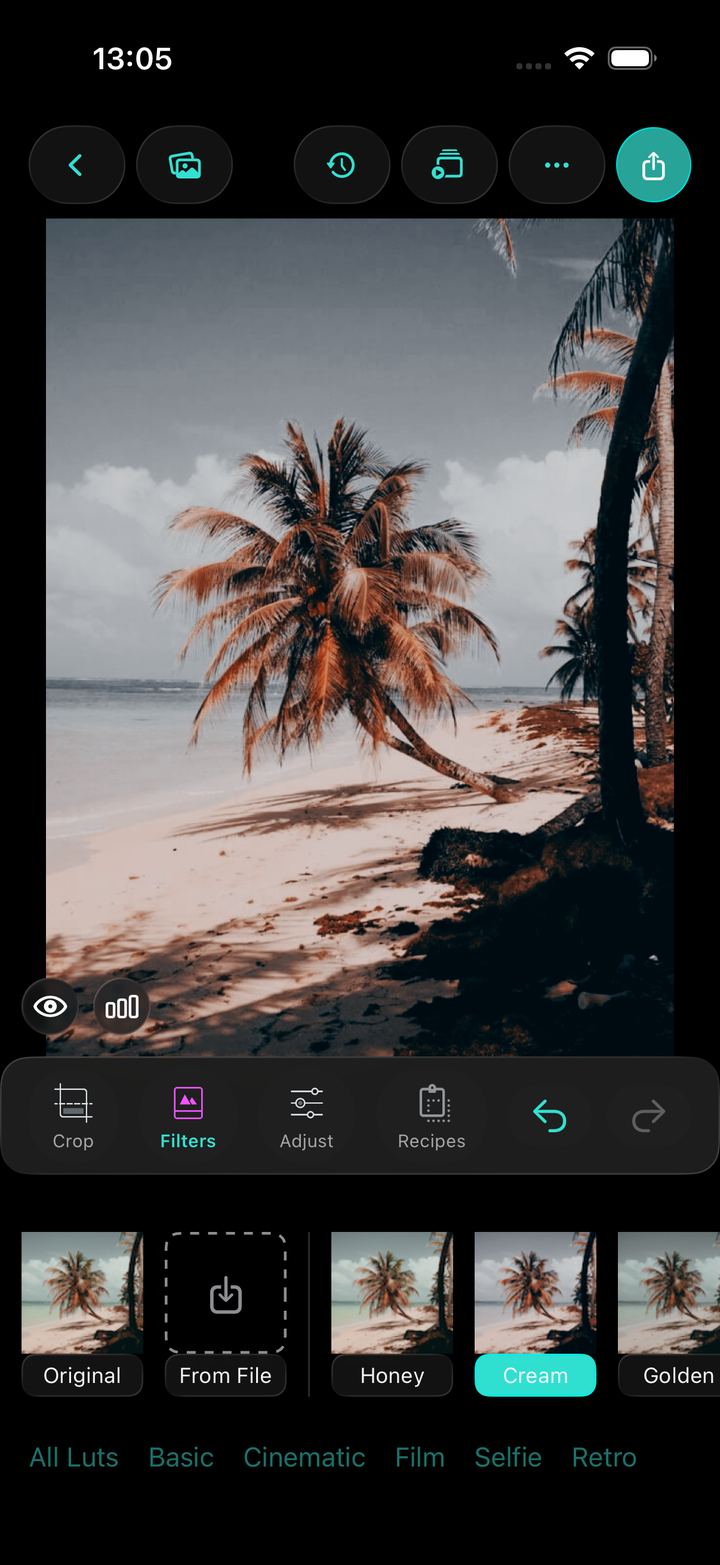
Grade with film LUTs
Pick a look from the film LUTs — every swatch previewed on your own photo. Crop, adjust, compare, export.
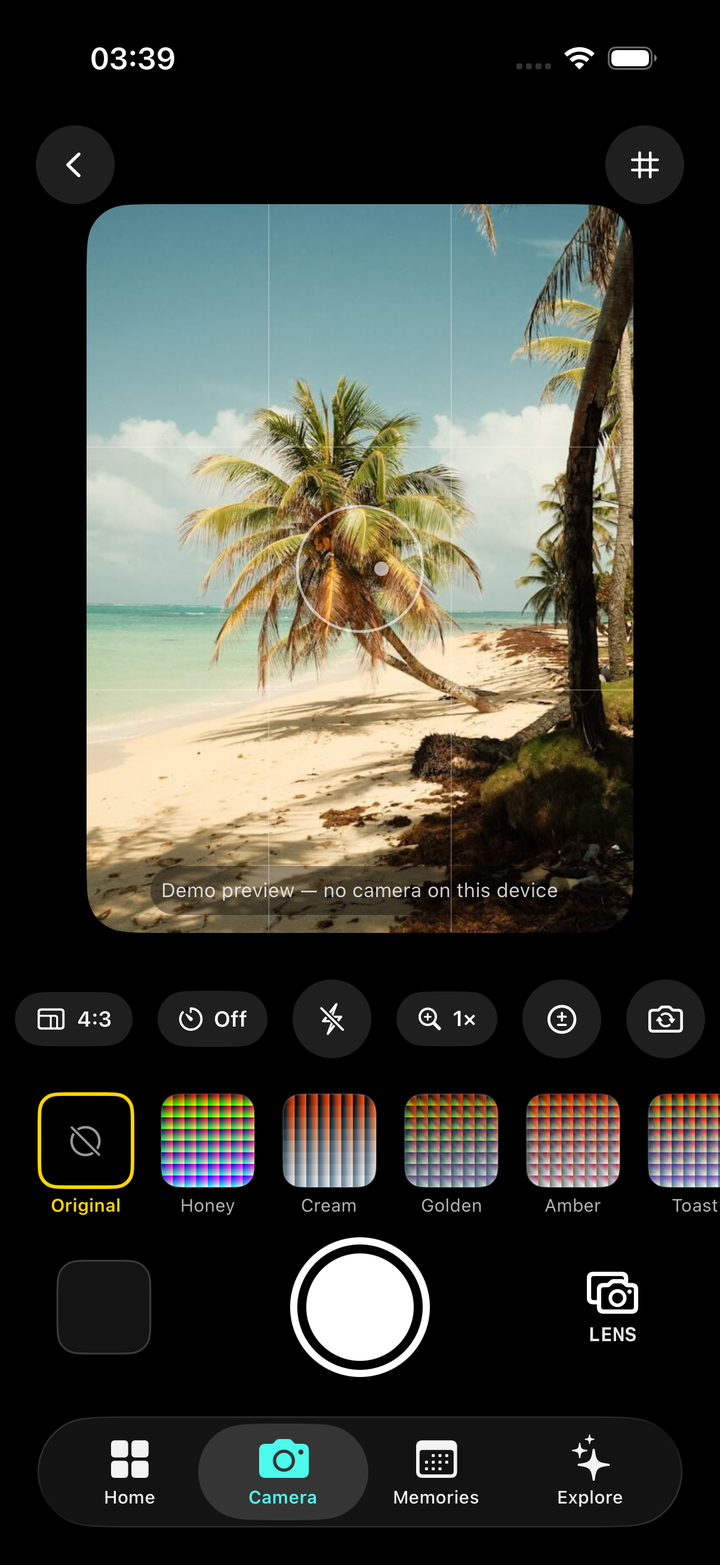
Shoot with the look baked in
The live camera applies the LUT before you press the shutter — switch LENS models for classic film-camera vibes.
One camera.
In the app and the App Clip.
The live LUT camera is the heart of Filmode — and the exact same screen opens instantly from the App Clip QR, before you even install:
- Live LUT viewfinder — the look is baked in the moment you press the shutter
- LENS: virtual film-camera models with classic looks
- Filter strip previewed on your own scene — plus flash, timer, zoom & 4:3 framing
- Scan the QR — shoot first, install later; your shot is waiting in the full app
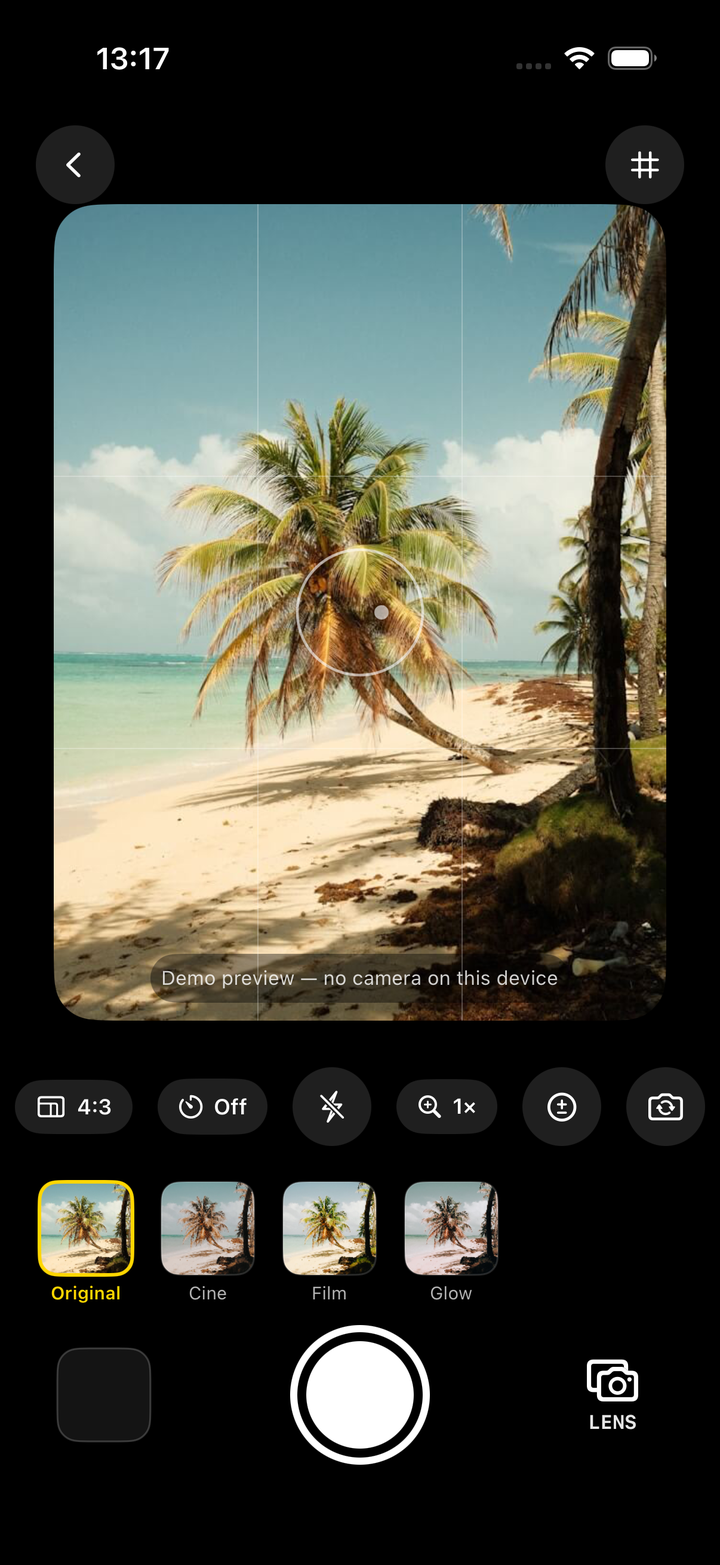
Scan. Shoot. Graded.
Point your iPhone camera at the code — the Filmode camera opens instantly with live film LUTs, no App Store visit required. Your shot is waiting in the full app when you're ready.

Point your iPhone camera here — no install needed
Your camera is already waiting — no download needed
✳Try Filmode

One link for every device
Scan or share filmode.app/get — iPhone goes straight to the App Store, everyone else picks.