The Live LUT Camera — compose with the look already on
A Metal-backed viewfinder that grades at ~30fps, virtual film-camera bodies, and a shutter that bakes the LUT into the file. Plus the App Clip that opens it from a QR code.
On this page
Editing after the fact is fine. But you frame a shot differently when you can already see the grade — you expose for the look you want, not for a neutral file you will fix later.
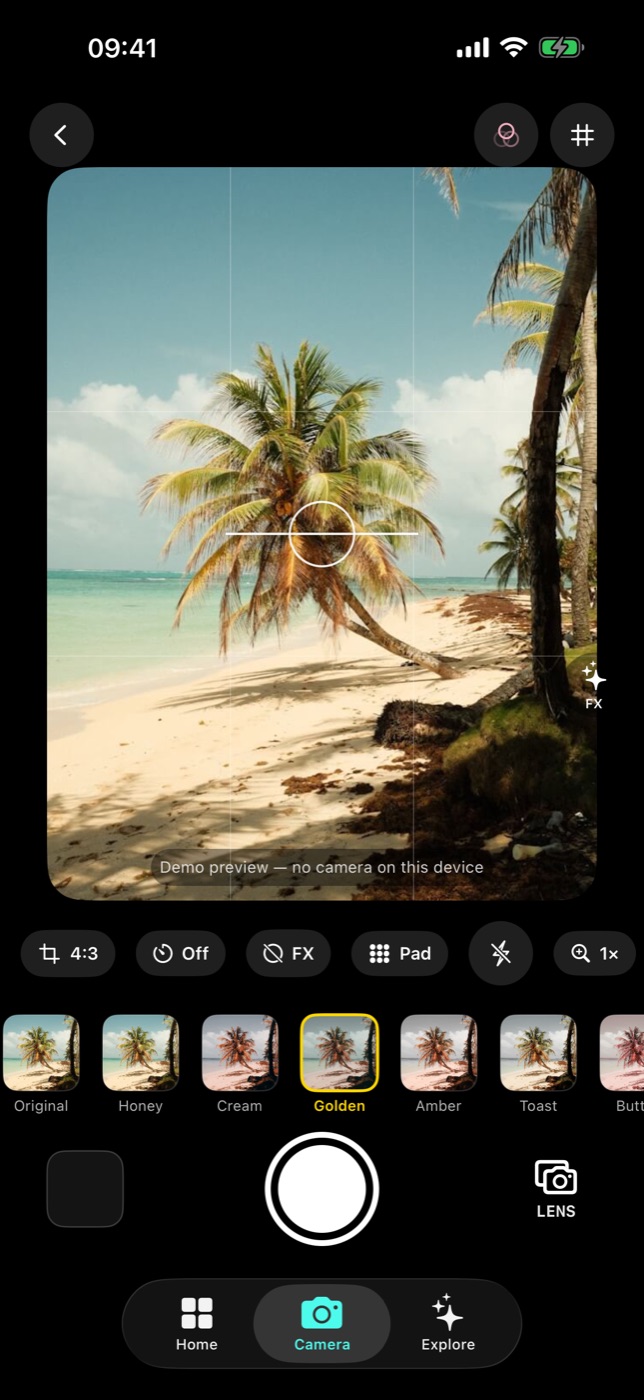
Real-time, not a post-process
The viewfinder runs on Metal and applies the selected LUT to the live preview at around 30 frames per second. Swipe through looks and the world in front of you changes colour as you go.
When you press the shutter, the LUT is baked into the captured file. There is no "apply filter" step afterwards, and no separate original to manage — what you framed is what lands in the roll.
Virtual film bodies
Beyond the LUT strip, the camera offers virtual film-camera presets — Dazz-style bodies like HF35, QS90 and CT2. Each is a whole character rather than a single colour shift: switching bodies changes the feel of the frame the way loading a different camera would.
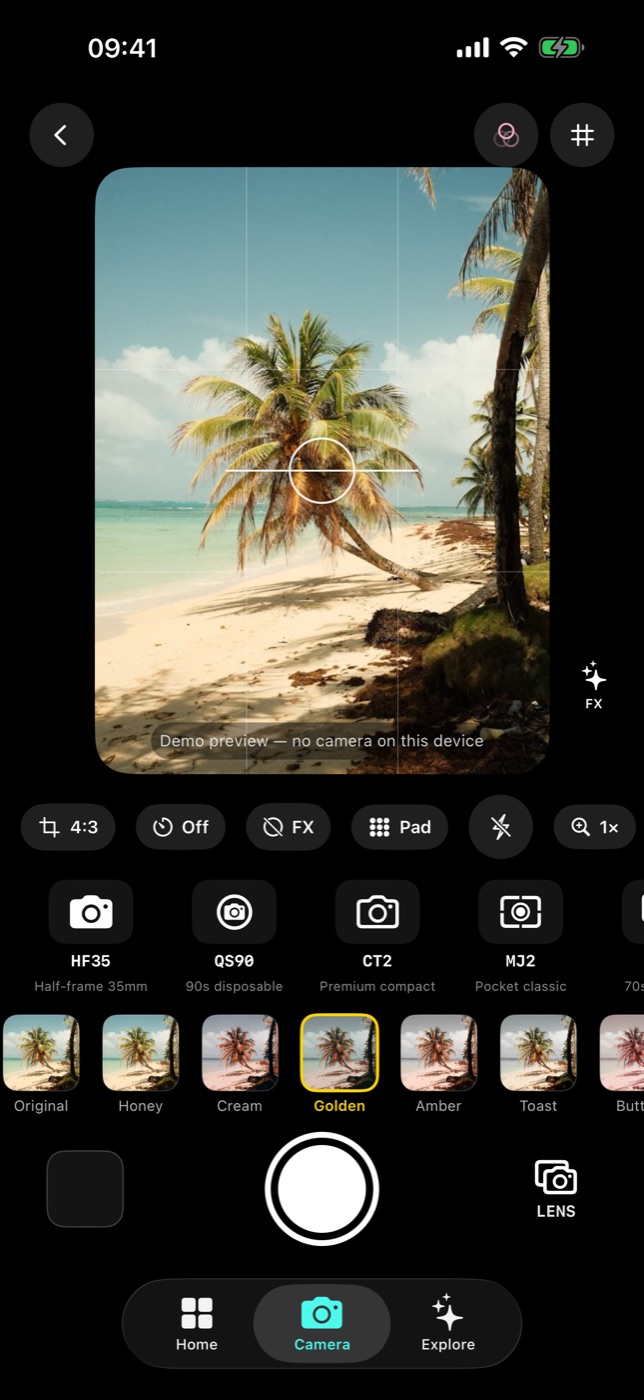
The controls you actually need
Nothing exotic, all one tap away:
| Control | Options |
|---|---|
| Aspect | 4:3 · 1:1 · 16:9 · Full |
| Timer | For getting yourself into the frame |
| Flash | On / off / auto |
| Flip | Front ↔ rear |
| Grid | Composition guides |
Aspect is worth setting before you shoot rather than cropping later — 1:1 and 16:9 change how you place the subject, and you cannot un-crop a frame you composed wide.
It is its own package
The camera ships as LiveLUTCameraKit, a standalone zero-dependency Swift package. That is an implementation detail, but it has a visible consequence: the same camera runs inside the full app, inside the App Clip, and inside the Vibe camera experience, and they stay in sync because they are literally the same code.
The App Clip: no install required
Filmode ships a sub-10 MB App Clip. Scan a Filmode App Clip code and the live LUT camera opens — no App Store trip, no install, no account. Shoot a few frames, and if you like it, an SKOverlay takes you to the full app with one tap.
It is the easiest way to hand the camera to someone standing next to you.
Memories: one photo a day
If you turn the Memories tab on in Settings, captured photos land in a Locket-style calendar — one photo per day, full-screen viewer, share or delete, and a streak counter. It is a quiet little habit tracker for a camera you already carry.
Not on the Mac
The Mac Catalyst build hides the camera entirely — the Camera tab, Home's Shoot with LUTs button, the Settings toggle and the Memories camera all disappear rather than sitting there greyed out. Desktop Macs are not where you shoot, and the app does not pretend otherwise.
If you want a film camera on a laptop, the Vibe web camera at filmode.app/vibe runs in any browser.
Three habits worth picking up
- Pick the look before the moment. Cycling LUTs while something is happening in front of you is how you miss it.
- Set the aspect first. Composition is easier when the frame is already the shape you will publish.
- Shoot the same scene on two bodies. HF35 and CT2 on the same subject teaches you more about what the presets do than any swatch grid.