The Vibe board — pinned polaroids, three views, and shared boards in the cloud
Drag rotated prints around a cork board, flip to a list or an album, save the whole arrangement as one image, and invite people to a shared board with a link or a QR code.
On this page
Every shot you take in Filmode Vibe lands somewhere: a pin-board. Not an album, not a grid of thumbnails — a board with prints scattered across it at angles, held down by pins, that you arrange by hand.
First, the frame
Before a shot reaches the board you pick a print frame for it — Polaroid, Booth, Cutie, Frame, Noir, Retro, Raw — and optionally write a caption on it.
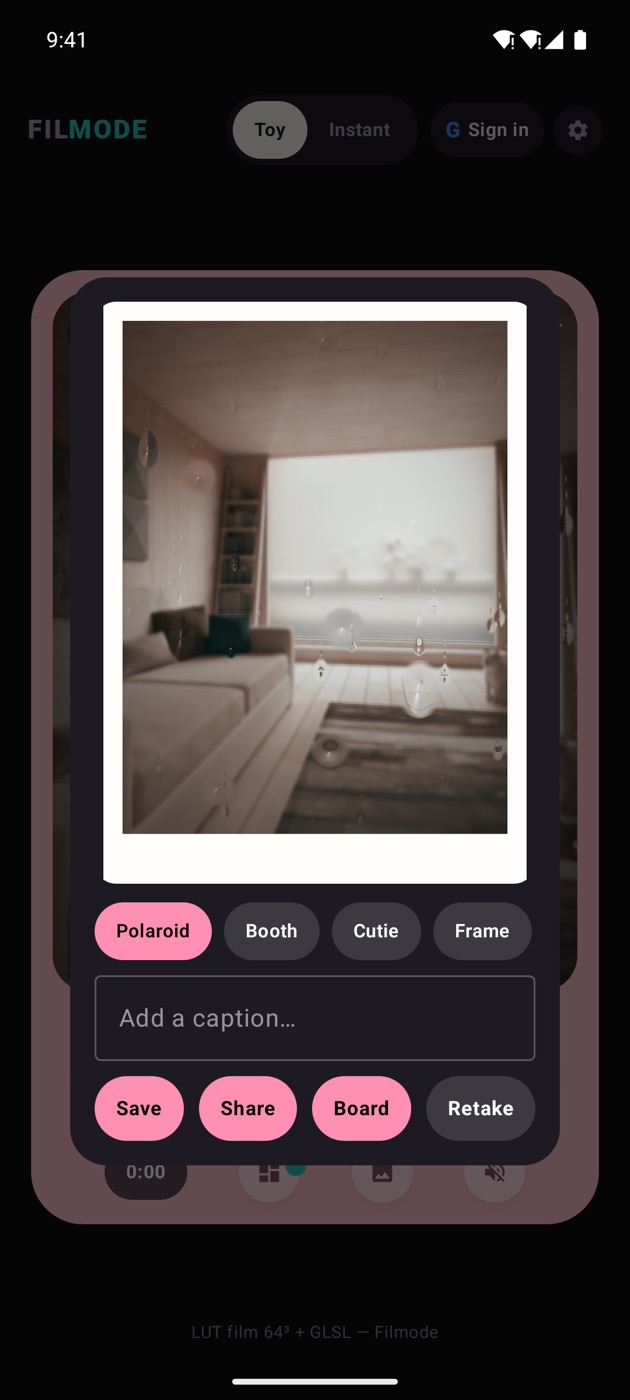
The frame is not a filter; it is composited into the image, which is why it survives all the way to the board, to a saved file, and to whatever you share it into.
Grid: the board itself
The default view is the board proper. Prints sit at slight rotations, each with a coloured pin, on one of six backgrounds — cork by default.
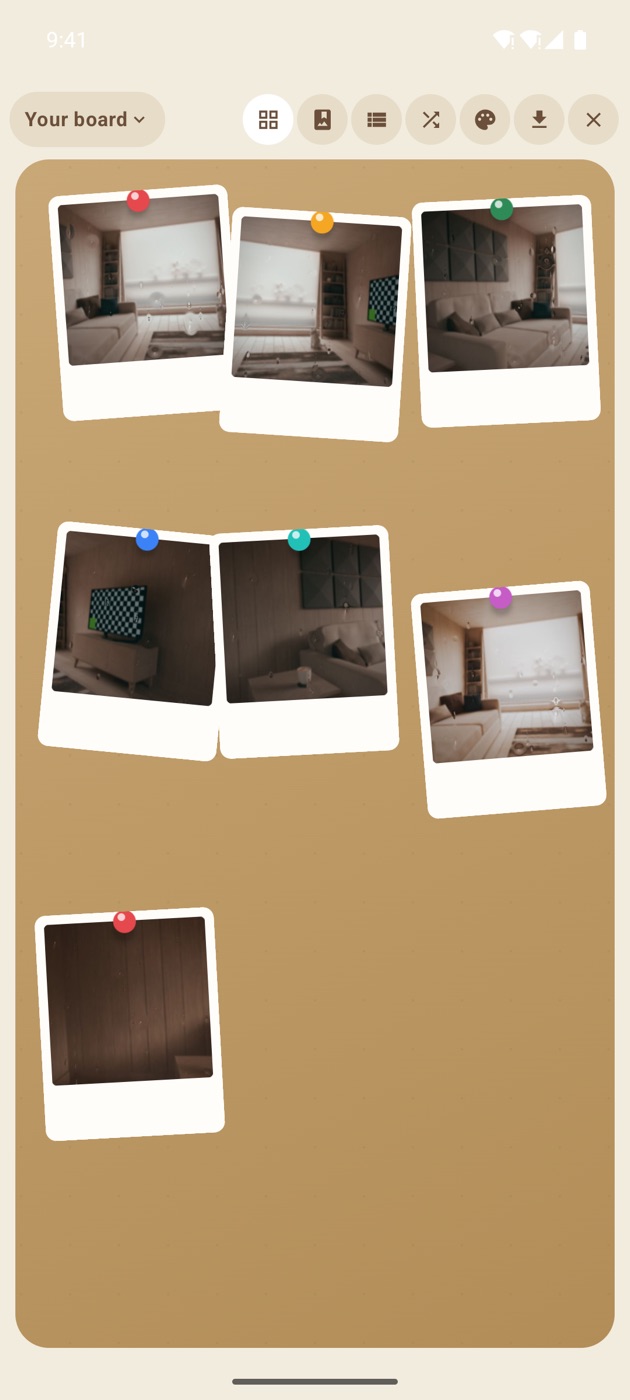
What you can do here:
- Drag any print anywhere. Position and rotation are saved, so the board stays exactly as you left it.
- Drag to the trash to delete.
- Shuffle to re-scatter everything at once, when the arrangement has gone stale.
- Tap for the fullscreen viewer — photos and videos both.
- Toggle the watermark on or off.
There is also Save board as one image: the whole arrangement is re-composited onto a single canvas exactly as you laid it out. Share it, or print it.
List: the working view
Flip to list and the same photos become rows you can actually manage.
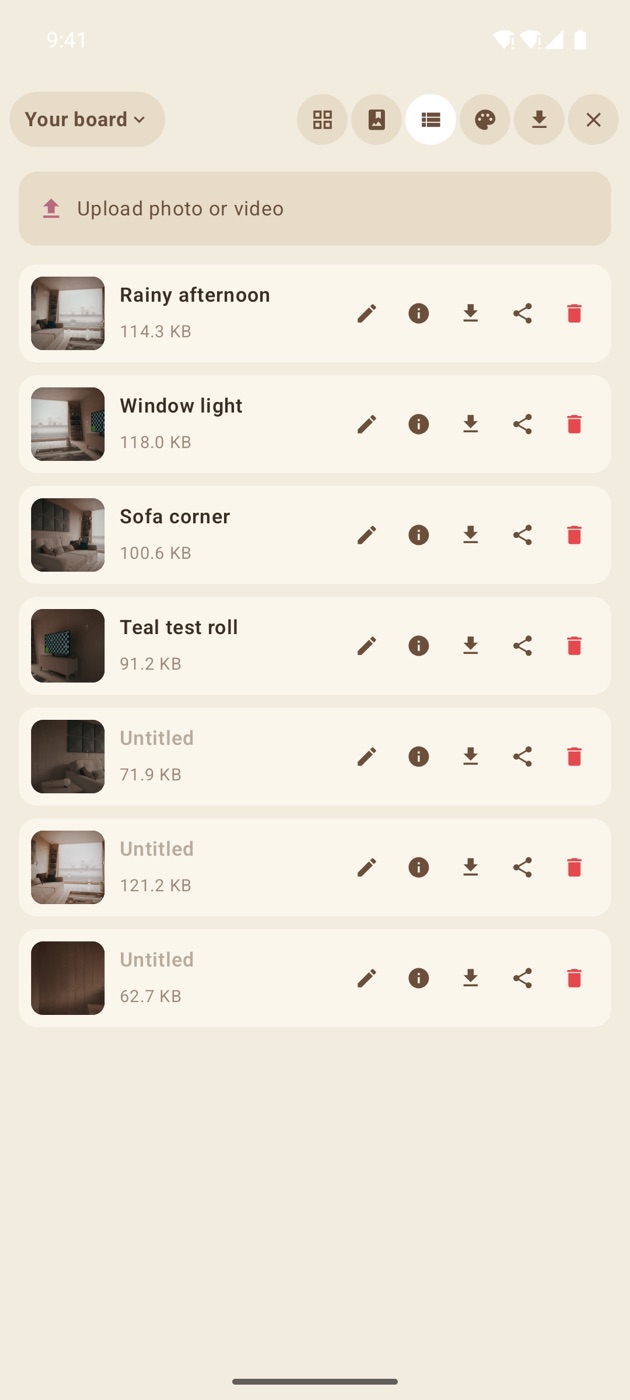
Each row gives you an editable title, an info panel, and save / share / delete. The list view is also where upload lives, so you can pull a photo or video in from your device gallery instead of shooting it.
Album: the presentation view
Album turns the board into something you would show someone: a cover hero with the board's stats — moments, clips, total size — over a masonry feed of everything on it.
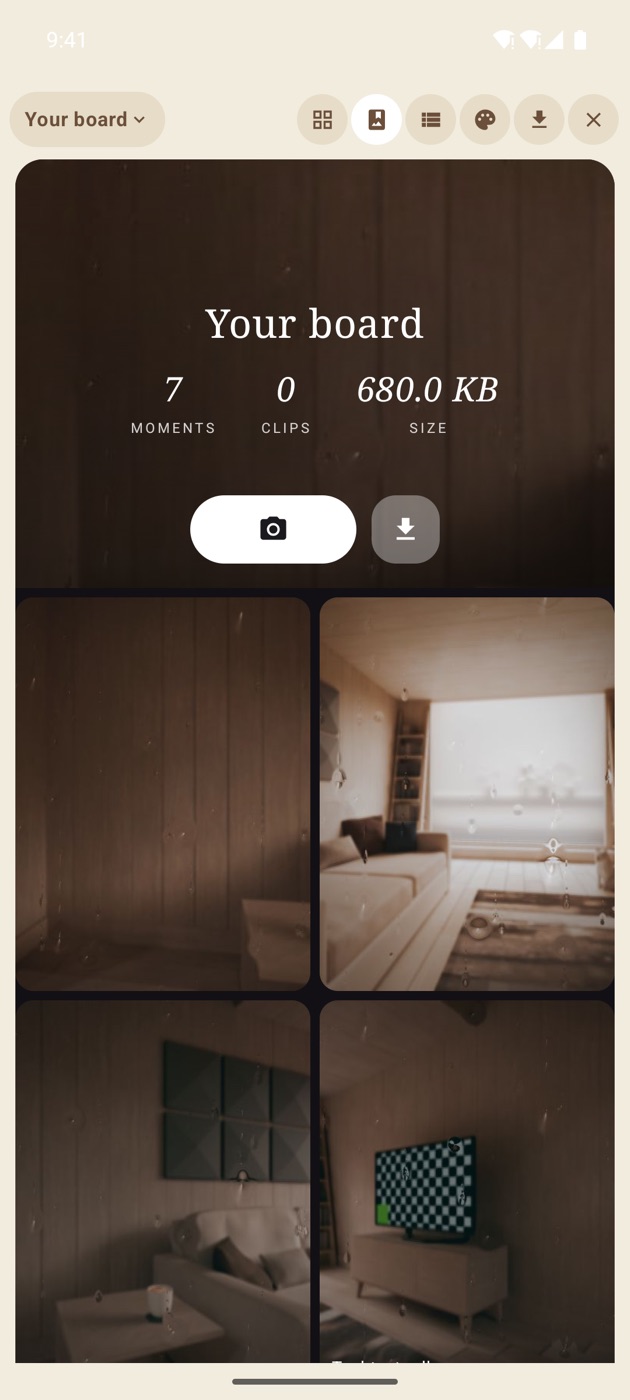
Same photos, three completely different jobs. Grid is for arranging, list is for managing, album is for showing.
Local first
Signed out, everything is local. Photos live in app storage with a database alongside them, and the board works completely — arrange, rename, delete, shuffle, save the composite. No account, no network, no sync.
Shared boards in the cloud
Sign in with Google or email and boards become shared spaces:
- Your boards load, and the last one you had open reopens automatically
- New shots upload to the cloud
- Photos you already had locally migrate up rather than being stranded
- A board switcher in the header moves between your local board and each cloud board
- On a board you own or joined, dragging a print persists — move it on the phone and it has moved for everyone
Some actions are still owner-side or web-side on the cloud: deleting a cloud photo, editing its caption and shuffling a cloud board are not yet available from the Android app, and public read-only galleries stay locked by design. The local board keeps full editing throughout.
Inviting people
A board is not much of a shared space if inviting people is hard. So it is a link and a QR code:
- Share a join link. Anyone who opens it joins the board — and if they are signed out, the invite survives the sign-in rather than being lost.
- Show the QR code. The other person scans it with the app and they are in. On iOS, Settings → Camera → Scan Board QR is the scanner; Recent Boards is the way back to boards you have already visited.
- Public link. A read-only gallery anyone can open in a browser, with no sign-in and no editing.
Any member can share the join link. The public link stays owner-only.
Deep links, if you like that sort of thing
The web URLs are also app links, so a https://filmode.app/vibe/… link opens the app directly:
| Parameter | What it does |
|---|---|
?skin=toy / ?skin=instant | Opens the camera in a specific skin |
?view=list / ?view=album | Opens the board in a specific view |
?join=<code> | Joins a board |
?public=<code> | Opens a read-only public gallery |
Same board, same photos, on Android, on iPhone, and in the browser.