Weekend and Surprise develop — make your iPhone film roll wait like a real lab
Two new ways to develop a Filmode Film Roll: ready Saturday at 9am, or on a day between one and fourteen days away that the app never tells you.
On this page
The best part of shooting film was never the shooting. It was the gap: the week between dropping the roll at the lab and getting the prints back, when you had half forgotten what was on it. Film Roll in the Filmode camera already made you wait three hours or until the next morning. Two new develop options stretch that gap on purpose.
- Weekend — the roll is ready on Saturday at 9am.
- Surprise — the roll is ready somewhere between a day and two weeks later, and Filmode never tells you when.
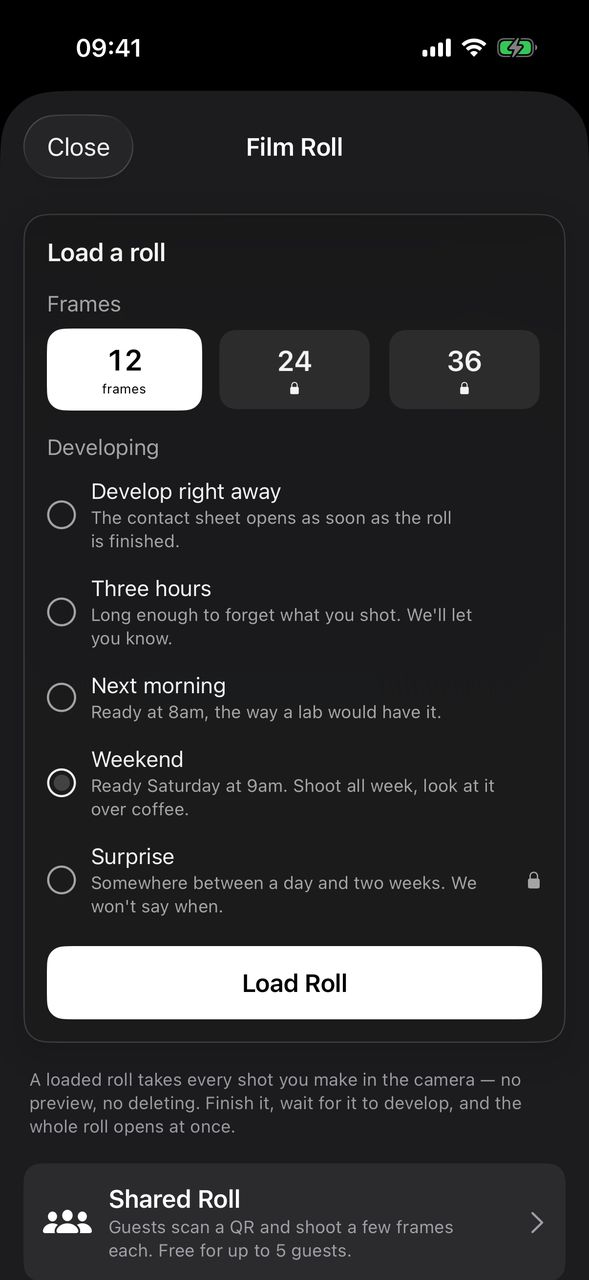
Choose Weekend or Surprise
- Open the Camera tab and tap ROLL in the right-hand column.
- Pick the roll length.
- Under the develop options, tap Weekend or Surprise.
- Tap Load Roll and shoot as normal. Frames stay hidden until the roll is developed.
- When you are done, open the roll and tap Finish Roll, then Develop — or just shoot the last frame and the roll finishes by itself.
As with every develop option, the clock starts when the roll is finished, not when you load it.
How Weekend works
A Weekend roll is ready at 9am on the next Saturday after you finish it. Finish it on a Tuesday and it is ready four days later; finish it on Friday night and you only wait until the morning.
One detail worth knowing: a roll finished on Saturday after 9am waits for the following Saturday — a full week. If you want this weekend's coffee, finish the roll by Saturday at 9am at the latest.
While you wait, the roll shows a countdown. Past two days it switches to days and hours, such as 4d 11h, so you are not reading a long line of hours.
How Surprise works
When you load a Surprise roll, Filmode picks a hidden wait of between 24 hours and 14 days (336 hours). You do not see the number, and neither does the roll: instead of a countdown it only says Developing. It'll be a surprise.
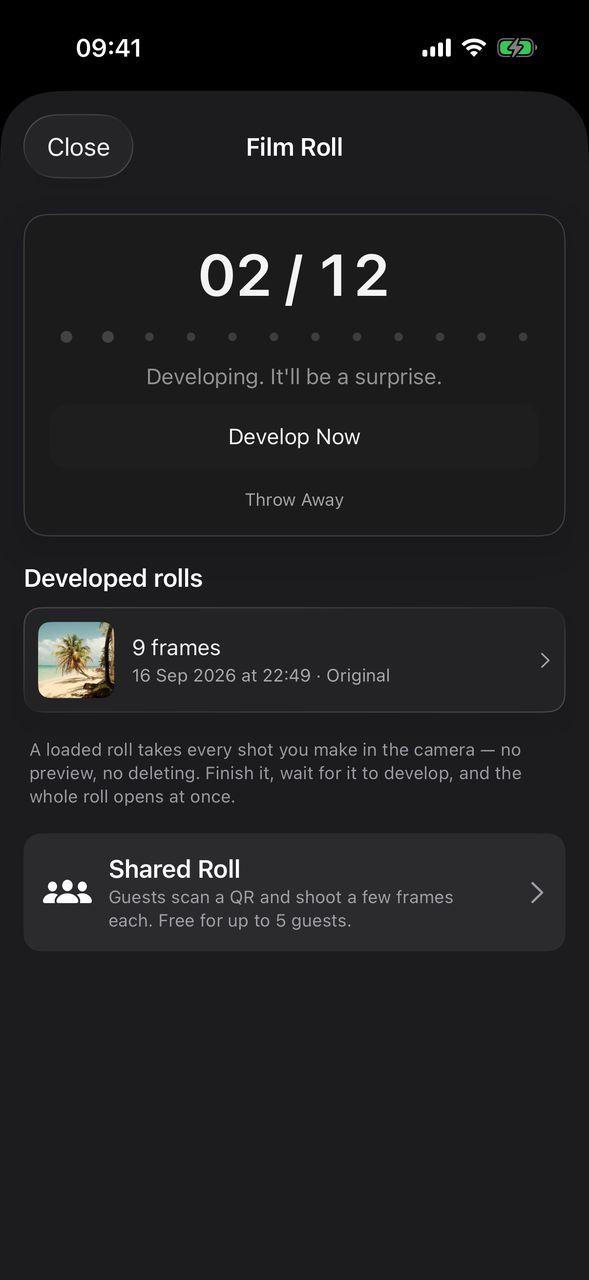
The wait is picked once, when the roll is loaded, and counted from when you finish it. Opening the sheet again or restarting the app does not change it.
Getting told when it is ready
For any roll that does not develop right away, Filmode schedules a notification — Your roll is ready — for the moment the roll is ready. It asks for notification permission when a delayed roll starts developing, not at launch. If you say no, the roll is still ready on time; you just have to open the Film Roll sheet to find it.
Can't wait?
Every developing roll, Weekend and Surprise included, has a Develop Now button. It develops the roll on the spot and opens the contact sheet. Nothing is lost; you only skip the wait.
Free and Pro
Weekend is free, like Develop right away, Three hours and Next morning. Surprise is part of Filmode Pro: without Pro it shows a lock, and tapping it opens the Pro screen. Develop Now is free on every roll. Roll lengths are separate: the 12-frame roll is free, and 24- and 36-frame rolls need Pro.
Frequently asked questions
Can I find out when a Surprise roll will be ready? No. The app never shows the date or a countdown for a Surprise roll. The notification arrives when it is ready.
What is the longest a Surprise roll can take? Fourteen days after you finish it. The shortest is one day.
I finished a Weekend roll on Saturday afternoon. Why does it say six days? Weekend means the next Saturday at 9am after the roll was finished. This Saturday's 9am had already passed, so it is the Saturday after.
Can I change the develop option after loading? The develop option is set when you load the roll. You can still use Develop Now at any point while it develops.
What if my Pro subscription ends while a Surprise roll is developing? A Surprise roll already developing keeps developing. Without Pro you cannot load a new one.
Try it
Load a Weekend roll on Monday in Filmode, carry it through the week, and let Saturday morning show you what you shot. Then cull the contact sheet and save the keepers.