Film Roll on iPhone — load a roll, shoot it blind and wait for it to develop
Load a 12, 24 or 36-frame roll in the Filmode camera, shoot without previews or deleting, then open the whole roll at once as a contact sheet.
On this page
A phone camera shows you every photo the instant you take it, and that is exactly why so many phone photos feel the same: you shoot, check, delete, reshoot, check again. Film never let you do that. You had 24 or 36 frames, no screen, and a wait at the lab — and the roll that came back was a surprise.
Film Roll brings that back to the Filmode camera. You load a roll, shoot it blind with no preview and no deleting, finish it, let it develop, and then the whole roll opens at once as a contact sheet. This guide walks through every step and the choices that matter.
How Film Roll works in one paragraph
While a roll is loaded, every shot you take in the Filmode camera goes onto the roll instead of to a preview. You can see how many frames are left, but not the frames themselves. When the roll is full — or when you decide to finish it early — it goes to "develop". Depending on what you chose when loading, it is ready straight away, after three hours, the next morning at 8am, on Saturday morning, or on a day Filmode keeps to itself. Then you get a contact sheet of the whole roll, and you can save or edit any frame.
Load a roll
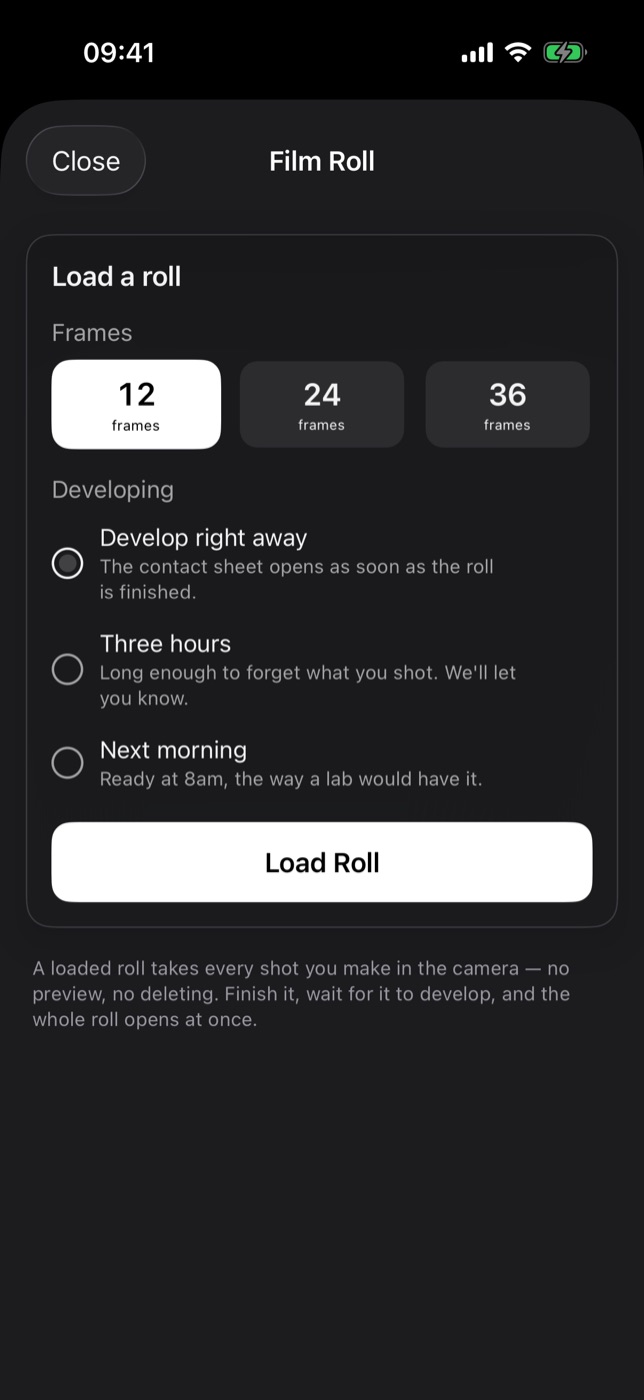
- Open the Camera tab.
- Tap ROLL in the column on the right side of the viewfinder, between MINE and FX.
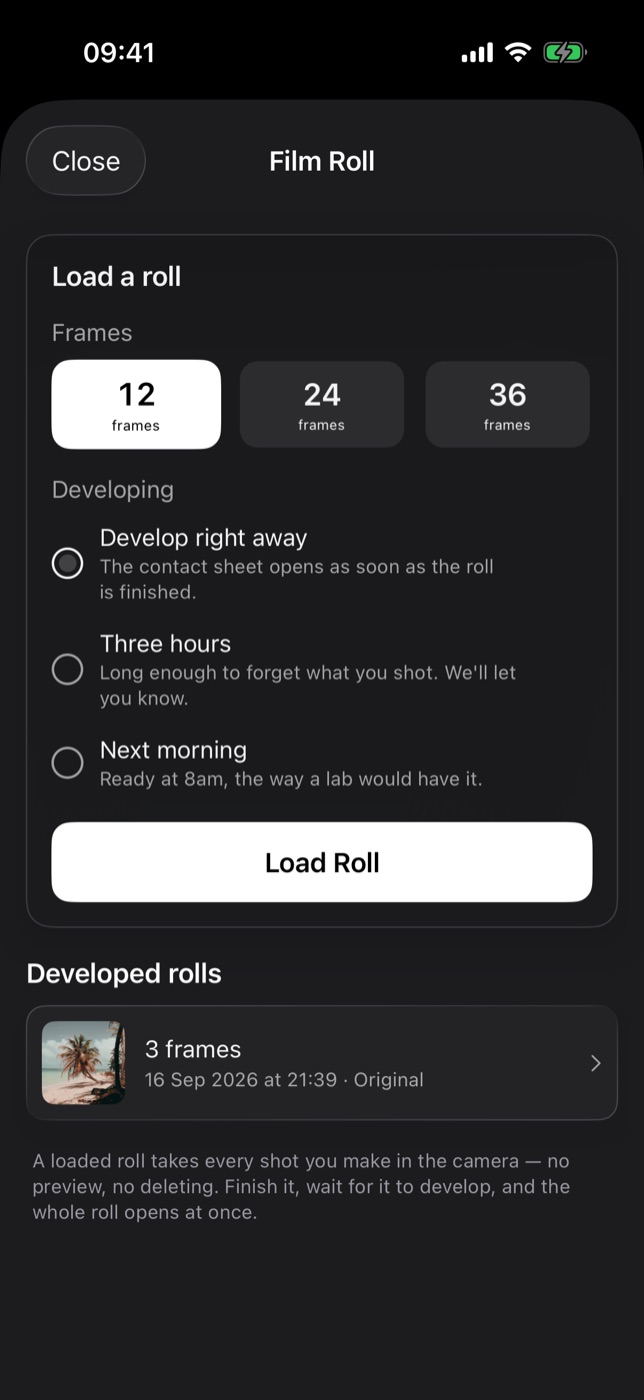
- Pick a length: 12, 24 or 36 frames.
- Pick how it develops:
- Develop right away — the contact sheet opens as soon as the roll is finished.
- Three hours — long enough to forget what you shot. Filmode sends a notification when it is ready.
- Next morning — ready at the next 8am, the way a lab would have it.
- Weekend — ready on Saturday at 9am. Shoot all week, look at it over coffee.
- Surprise — somewhere between a day and two weeks, and Filmode will not say when. See Weekend and Surprise develop.
- Tap Load Roll.
The developing clock starts when the roll is finished, not when it is loaded. A roll finished at 23:50 on Next morning is ready at 8am; one finished at 07:59 is ready a minute later.
The look you have selected in the camera when you load the roll is the look the roll is shot with, and it is written under the roll later, so you know which stock you were "shooting".
Shoot it blind
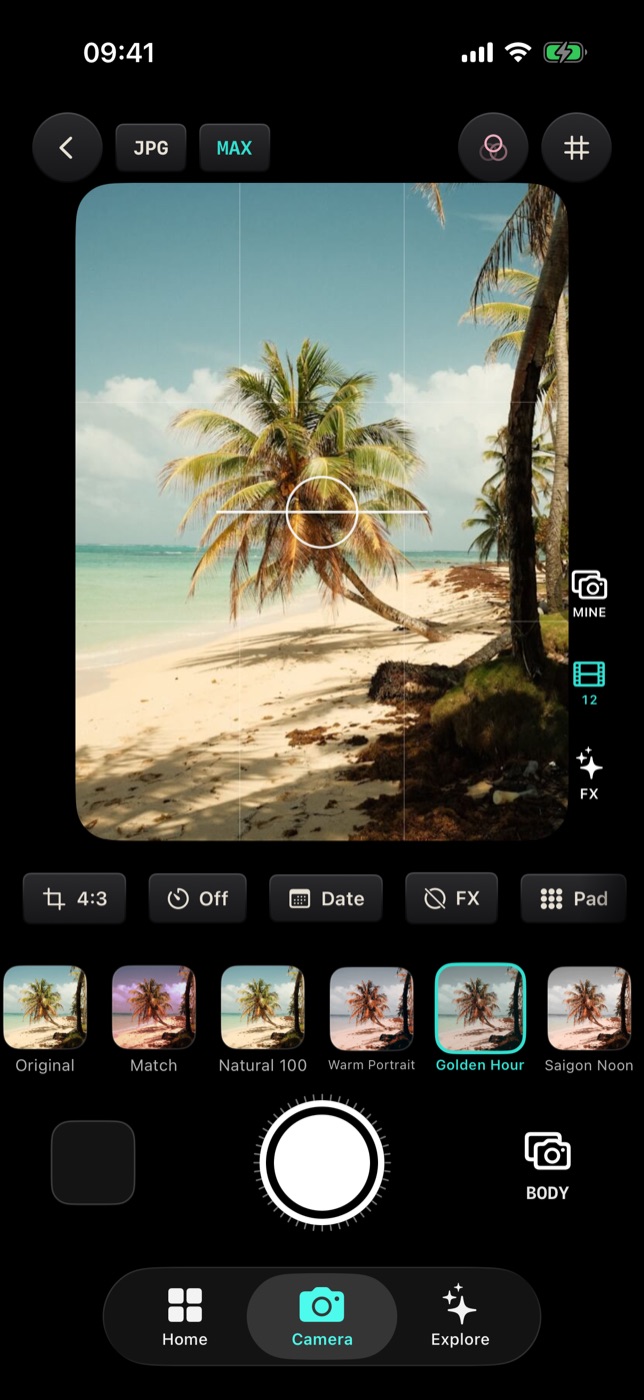
With a roll loaded, the ROLL button shows the number of frames left instead of its label. Frame and shoot as normal. There is no thumbnail to tap and nothing to delete; the shot goes onto the roll.
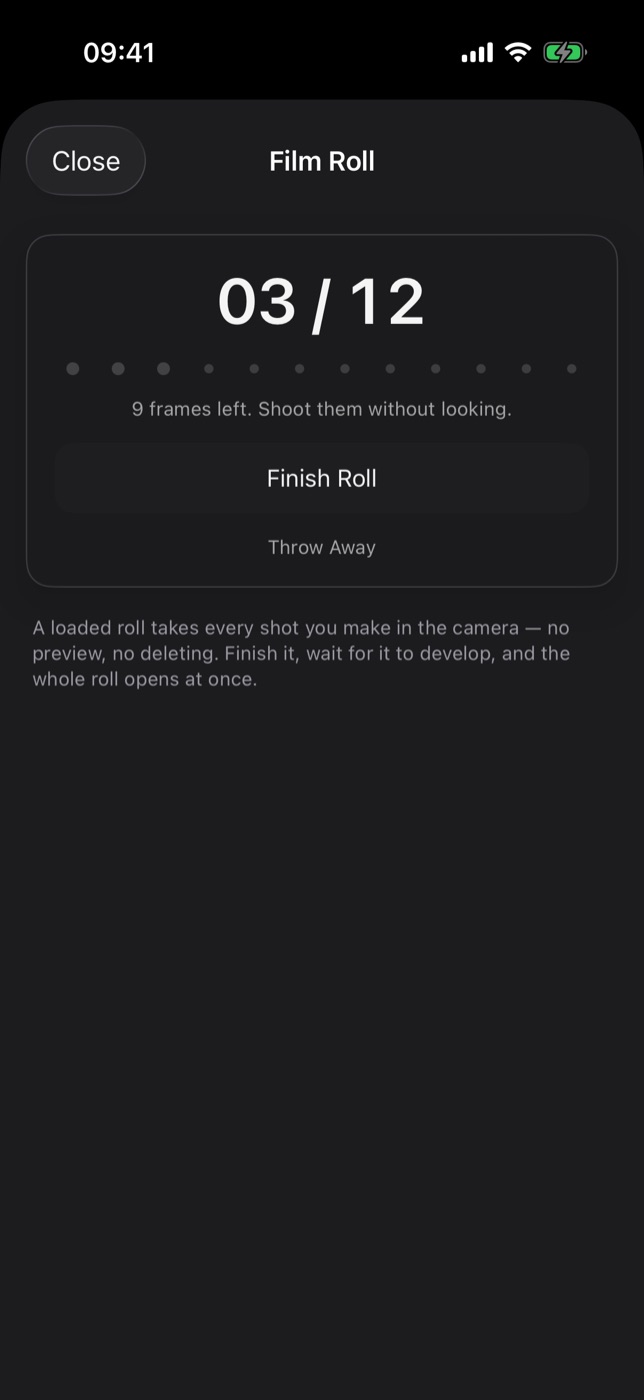
Tap the counter at any time to open the roll. It shows how far through you are — for example 03 / 12, with a dot for each frame — and a reminder of how many frames you have left to shoot without looking.
Finish and develop
A roll finishes on its own when the last frame is shot. You can also end it early:
- Open the roll from the ROLL counter.
- Tap Finish Roll. The button turns into Develop.
- Tap Develop. If you chose Develop right away, the contact sheet opens now. Otherwise the roll shows the time left — a Surprise roll only says it is developing — and you get a notification when it is ready.
Changed your mind about waiting? A developing roll has a Develop Now button.
If a roll is not worth keeping, Throw Away deletes it and every frame on it. Filmode asks first, because this cannot be undone.
The contact sheet
When the roll is developed, all of its frames open together as a numbered contact sheet, three across, in the order you shot them.
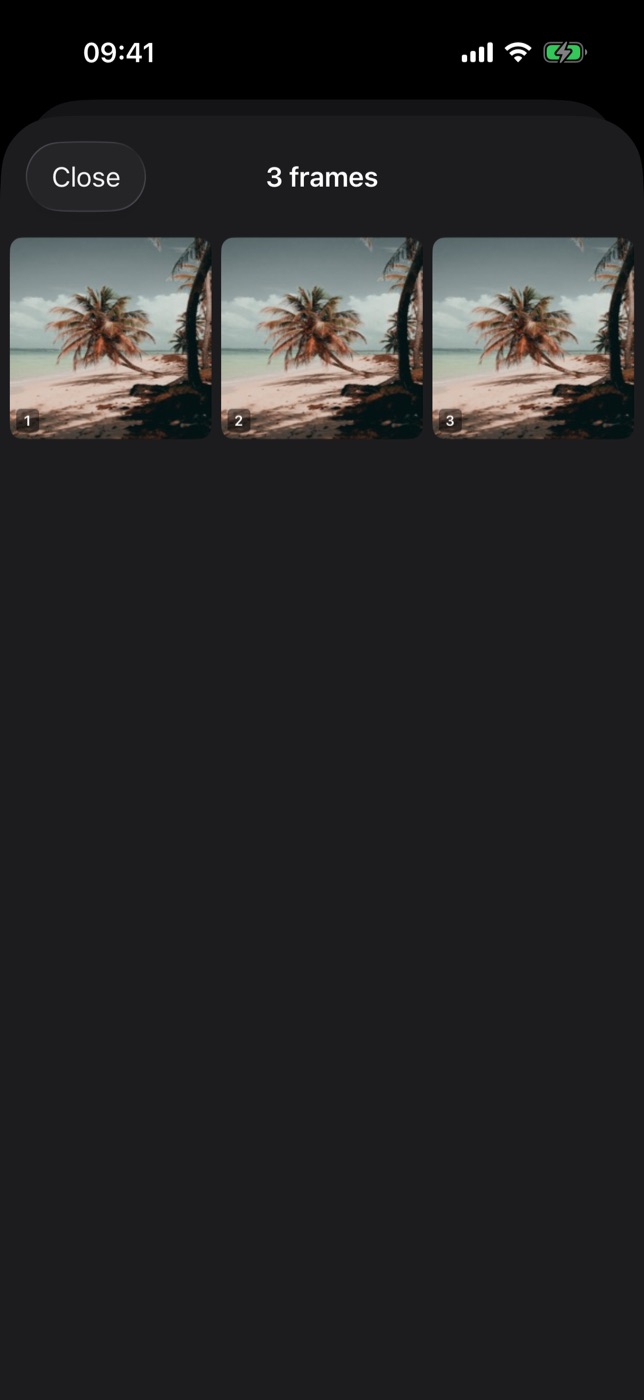
Use All, Picks and Starred above the sheet to cull the roll, and Save picks to send the keepers to Photos in one go — how culling works.
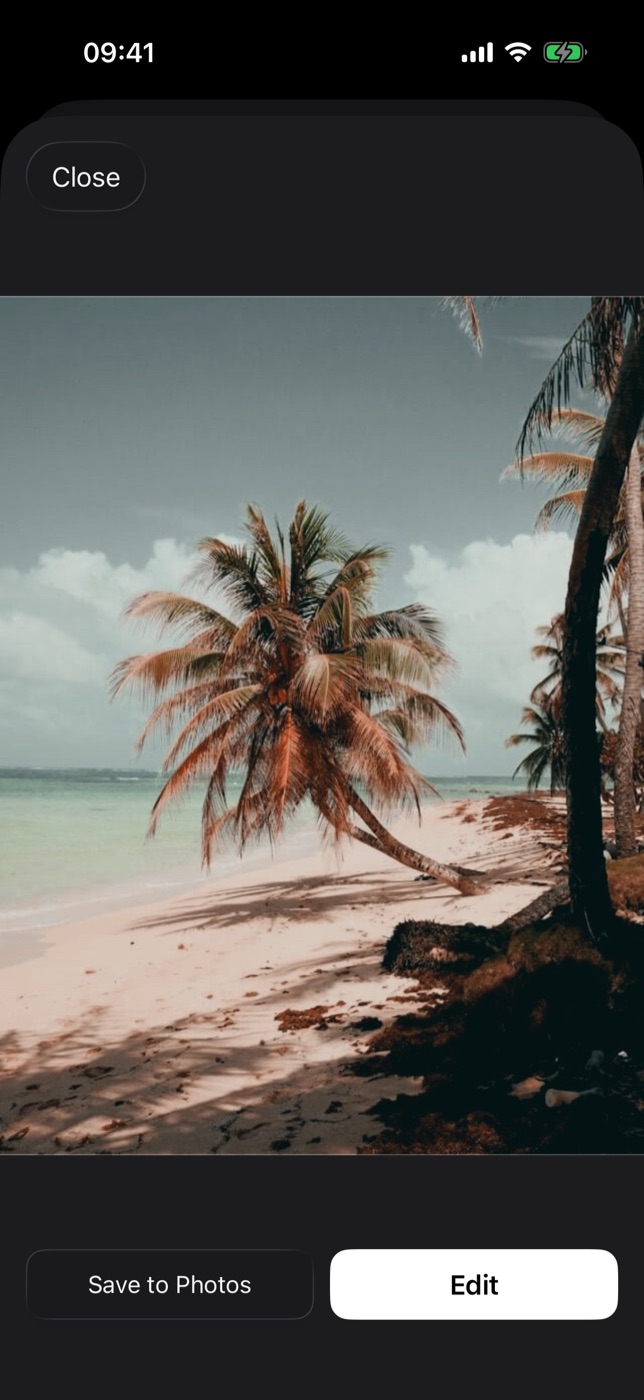
Tap a frame to see it full size. From there you can:
- Pick, Star or Reject the frame.
- Save to Photos — copy the frame to your photo library.
- Edit — open the frame in the Filmode editor to crop, grade or add effects.
- Close — back to the contact sheet.
Every developed roll stays in the Film Roll sheet under Developed rolls, with its frame count, the date it developed and the look it was shot with. Tap one to reopen its contact sheet; long-press it to throw it away.
Tips for shooting a roll
- Commit to a look before you load. The whole roll is shot through it, which gives a day of photos one consistent colour — the thing people love about a real roll of film.
- Choose the wait on purpose. Next morning is the best version of the feature: you go to bed not knowing, and the roll is there with your coffee.
- Count your frames. Twelve frames makes you choose. If you find yourself shooting the same thing three times, that is the roll telling you something.
- Use it for events. A 36-frame roll at a birthday or a trip turns into a contact sheet you actually want to scroll through, instead of 400 near-duplicates.
- Edit afterwards, not during. Frames open in the full editor, so exposure fixes and crops can wait until the roll is developed.
Free and Pro
The Film Roll ritual is free: anyone can load a 12-frame roll, develop it right away, after three hours, next morning or at the weekend, use Develop Now, and cull, save or edit the frames. The longer 24- and 36-frame rolls and the Surprise wait are part of Filmode Pro.
Frequently asked questions
Can I see a photo while the roll is still loaded? No. That is the point of the feature — the frames stay hidden until the roll is developed.
Can I delete one bad frame? No. A roll keeps every shot, like film. You can throw away the whole roll, or simply not save the frames you do not like.
Where are the frames kept? On the roll, inside Filmode, until you save them. Tap a frame on the contact sheet and choose Save to Photos for the ones you want in your library.
What happens if I finish a 36-frame roll after 10 shots? It develops with the 10 frames you shot. Finish Roll works at any point; a roll with no frames on it is simply thrown away.
Do I need notifications on? Only if you want to be told when a delayed roll is ready. Without them the roll is still ready on time; open the Film Roll sheet to see it.
Is Film Roll on iPad? Yes, in the Filmode camera on iPhone and iPad.
Try it
Open the Camera tab in Filmode, tap ROLL, load twelve frames and leave the phone in your pocket until you have something worth one of them. Shooting with friends? A Shared Roll gives every guest a few frames on the same roll. For more about shooting through looks, read the live LUT camera guide.