Manual camera controls on iPhone — ISO, shutter, focus, EV and white balance in Filmode
Open the PRO panel in the Filmode camera to set focus, ISO, shutter speed, exposure compensation and white balance by the stop, while shooting through a look.
On this page
The iPhone camera decides exposure for you, and most of the time it decides well. But the moments that matter to a photographer are exactly the ones where it guesses: a dark stage, a bright window behind a face, a waterfall you want soft, a street you want frozen. The PRO panel in the Filmode camera gives you the five controls a manual camera has, laid out the way a camera body lays them out, while the viewfinder still shows the look you are shooting through.
This guide covers opening the panel, what each control does, and how to use them together without fighting the camera.
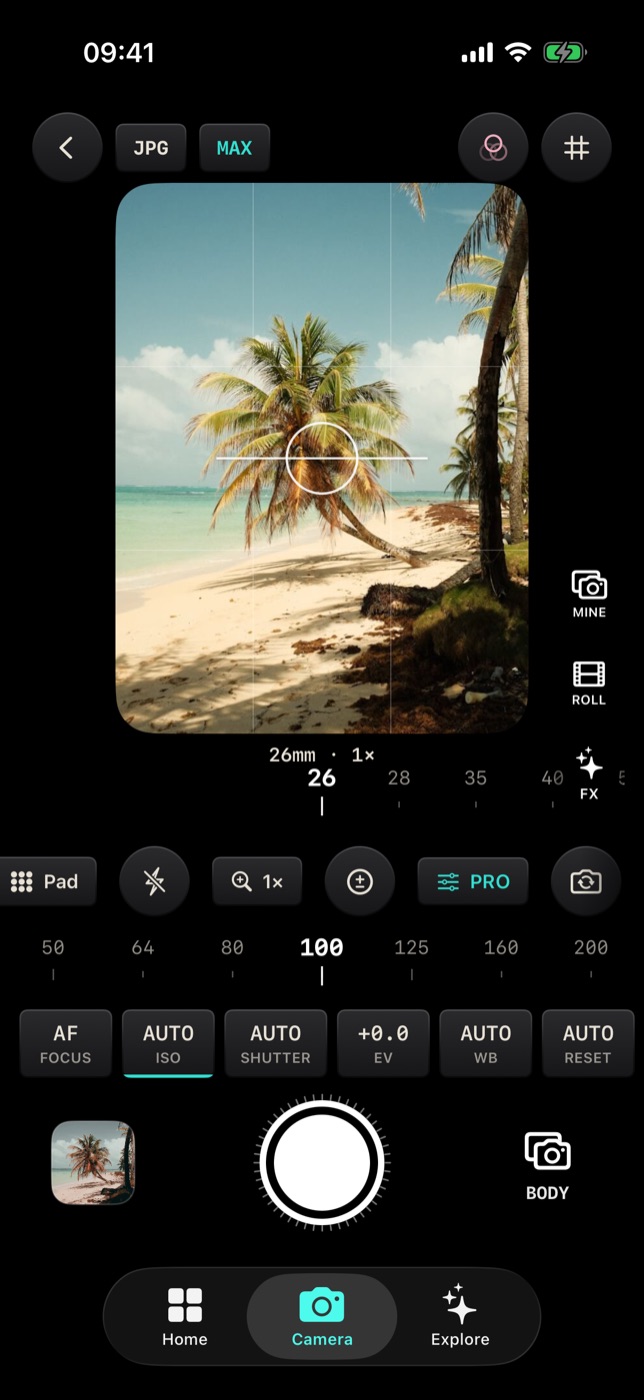
Open the PRO panel
- Open the Camera tab.
- Find PRO in the row of buttons under the viewfinder. The row scrolls sideways, so swipe it if PRO is off screen.
- Tap PRO. Two rulers and a row of control cells appear above the shutter button.
Tap PRO again to hide the panel. Whatever you set stays set; the PRO button stays lit while any control is off automatic, so a locked shutter speed cannot catch you out later.
How the panel is laid out
The panel follows the convention of a dedicated camera:
- The focal-length ruler under the viewfinder shows the lens in 35mm-equivalent millimetres — for example 26mm · 1× — with ticks at the classic prime lengths this lens can reach. Drag it to zoom by focal length instead of by a pinch.
- The control cells show each channel's value on top and its name underneath: FOCUS, ISO, SHUTTER, EV and WB, followed by RESET and MORE.
- The channel ruler above the cells drives whichever cell is selected. A bar under the cell shows which one that is.
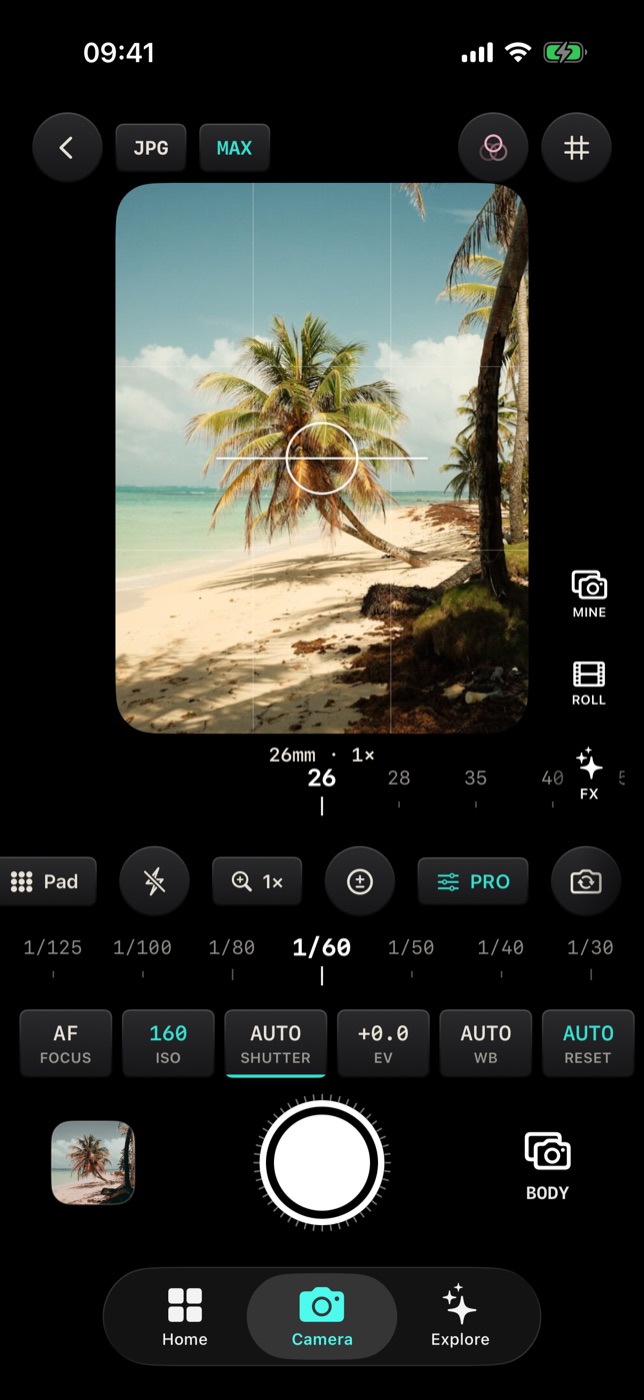
Tap a cell to select it, then drag the ruler. The value snaps to real stops — 1/125, not 1/131 — because that is how exposure is thought about.
A cell's value turns mint when that channel is off automatic. On automatic, ISO and shutter show what the camera is choosing right now with an A in front, such as A 160 — a quick way to read the scene before you take over.
The five controls
FOCUS
AF means autofocus. Drag the focus ruler to take over: the cell shows MF and the lens position, from the closest the lens can focus to infinity (∞). While you drag, a focus loupe magnifies the part of the frame you are focusing on, so you can see the moment it turns sharp.
Use it for macro shots where autofocus keeps hunting, for shooting through glass or a fence, and for pre-focusing on a spot before your subject arrives.
ISO
ISO sets the sensor's sensitivity, in third-stop steps within what your lens supports. Lower ISO is cleaner; higher ISO is brighter and noisier.
Lock ISO low for a clean photo in good light, or lock it at a value you are happy with at night so the camera does not push it higher than you want.
SHUTTER
Shutter speed runs from very fast fractions up to whole seconds, limited to what your camera supports. Fast speeds freeze motion; slow speeds blur it.
- 1/500 and faster — sport, kids, pets, splashing water.
- 1/60 to 1/125 — everyday handheld shooting.
- 1/15 and slower — motion blur in water, crowds and traffic. Brace the phone or use a tripod.
EV
Exposure compensation tells automatic exposure to go brighter or darker, in tenths of a stop. Go negative to keep a bright sky from blowing out; go positive for a backlit face or a white beach.
EV works with the meter, so it stops doing anything once you lock ISO or shutter by hand — at that point you are setting exposure directly and there is nothing left to compensate. The EV ruler dims to show that.
You can also change EV without the panel: drag up or down on the viewfinder. This can be switched off under MORE › Controls › Swipe for EV.
WB
White balance sets the colour of the light, in Kelvin presets from warm candlelight to cool shade. Lock it when the camera keeps shifting colour between shots of the same scene — under mixed indoor light, or across a sunset — so every frame of the set matches.
RESET and MORE
- RESET puts every channel back on automatic in one tap. It stays dim until something is off automatic.
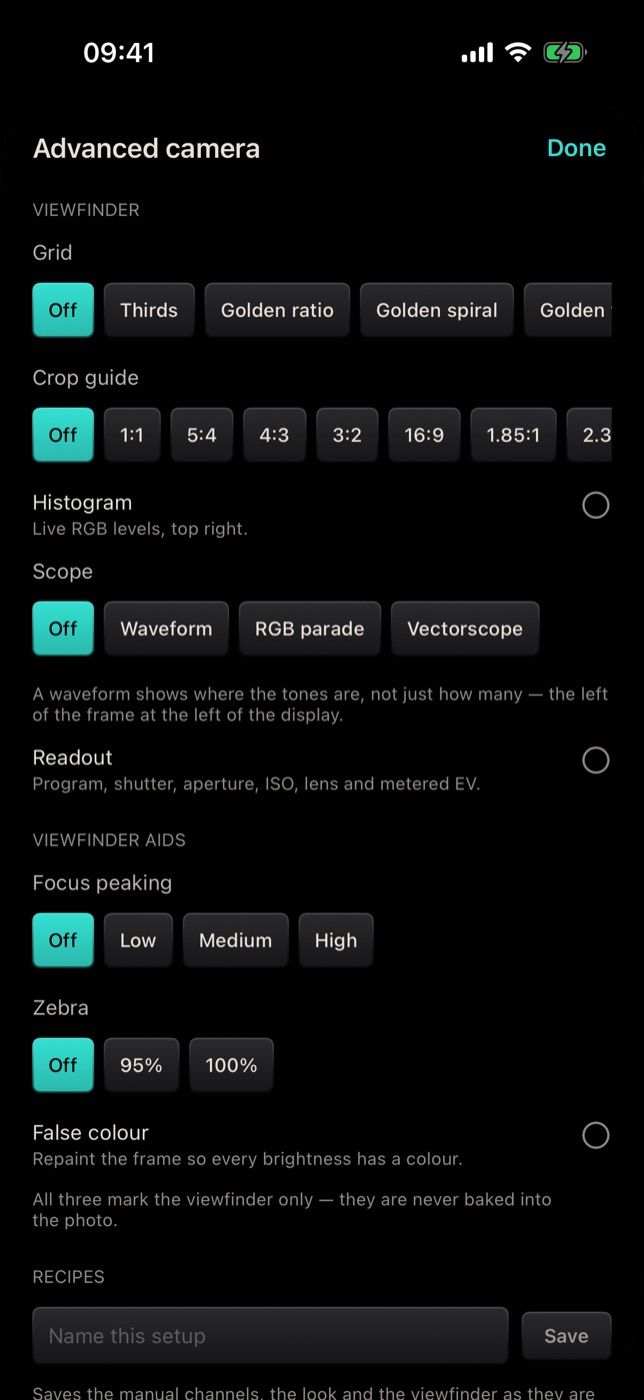
- MORE opens Advanced camera, the settings you set once rather than per shot: grids and scopes, viewfinder aids, recipes, metering and focus modes, capture options, RAW, drive modes and file naming. MORE lights up when any of those is away from its default.
Focus and exposure, separately
- Tap the viewfinder to focus on a point. The camera also meters there, which is what you want when you tap a face in a backlit frame.
- Press and hold on the viewfinder to move the metering point on its own, so you can focus on one thing and expose for another.
Other controls in the camera
- JPG / HEIF at the top switches the file format, where your device supports HEIF.
- MAX / STD chooses between the largest photo size your camera offers and its standard size, which is faster to capture and grade.
- A lens row on the viewfinder switches between physical lenses — ultra-wide, wide, telephoto — on iPhones that have more than one.
Tips
- Take over one channel at a time. Lock shutter speed for motion and let ISO follow, or lock ISO for noise and let shutter follow. Locking both means you own the whole exposure.
- Read the automatic values first. A 160 and A 1/60 tell you what the scene needs; start manual from there.
- Watch the look, not only the numbers. The viewfinder shows the photo through your chosen look, so expose for how the graded picture looks.
- Press RESET before handing the phone to someone. A locked slow shutter is a confusing surprise.
- Save a setup you use often as a recipe — see Camera recipes.
Free and Pro
The PRO panel, its five controls, RESET and the Advanced camera settings are free. BODY, next to the shutter button, holds the Pro camera bodies, which are a separate feature.
Frequently asked questions
Why can't I set ISO or shutter on my device? Each control only offers what the active camera supports. When a lens cannot be set manually, its ruler is dimmed. The front camera and some iPad cameras support fewer manual controls.
Why did EV stop working? Exposure compensation only steers automatic exposure. Once ISO or shutter is locked, EV has nothing to adjust. Press RESET or go back to automatic to use it again.
Does the look change the exposure? No. The look is applied to the photo; exposure is set on the camera. Scopes and viewfinder aids are measured before the look for the same reason.
Can I shoot RAW? Yes, where your iPhone supports it. Turn on RAW under MORE › Negative. See Drive modes and capture settings.
Do the settings survive closing the app? The Advanced camera settings are remembered. For a full setup of manual values plus look and aids, save a recipe.
Try it
Open the Camera tab in Filmode, tap PRO, select SHUTTER and drag it to 1/15 in front of moving water. Then read Exposure aids to judge the result before you press the shutter.