Camera recipes on iPhone — save your whole camera setup and recall it in one tap
Save manual exposure, the look, focus, metering and viewfinder aids as a named recipe in the Filmode camera, then put the camera back that way with one tap.
On this page
Setting a camera up by hand takes time. ISO 400, 1/250, 4500K, a warm look, spot metering and zebra at 95% is half a minute of taps before a concert; doing it again next week, from memory, takes longer and lands somewhere slightly different. Recipes in the Filmode camera fix that: name the camera as it stands, and tap the name later to put it all back.
This guide shows how to save a recipe, what goes into one, and how to build a small set that covers the way you shoot.
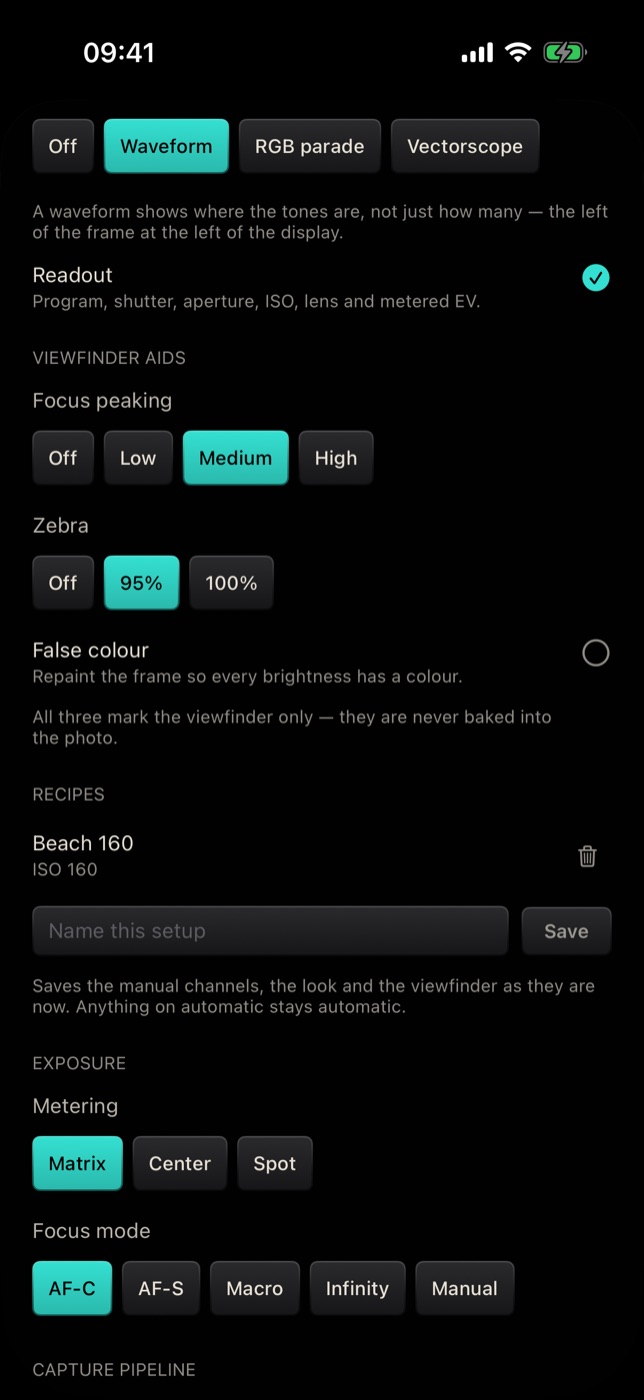
Save a recipe
- Set the camera up the way you want it. Choose the look in the camera, then open PRO and set the manual controls you care about — ISO, shutter, focus, white balance, EV.
- Tap MORE at the end of the PRO control row to open Advanced camera.
- Set the rest: grid, crop guide, focus peaking, zebra, false colour, metering and focus mode.
- Scroll to Recipes, type a name into Name this setup — up to 24 characters — and tap Save.
The recipe appears in the list above the name field, with a one-line summary underneath.
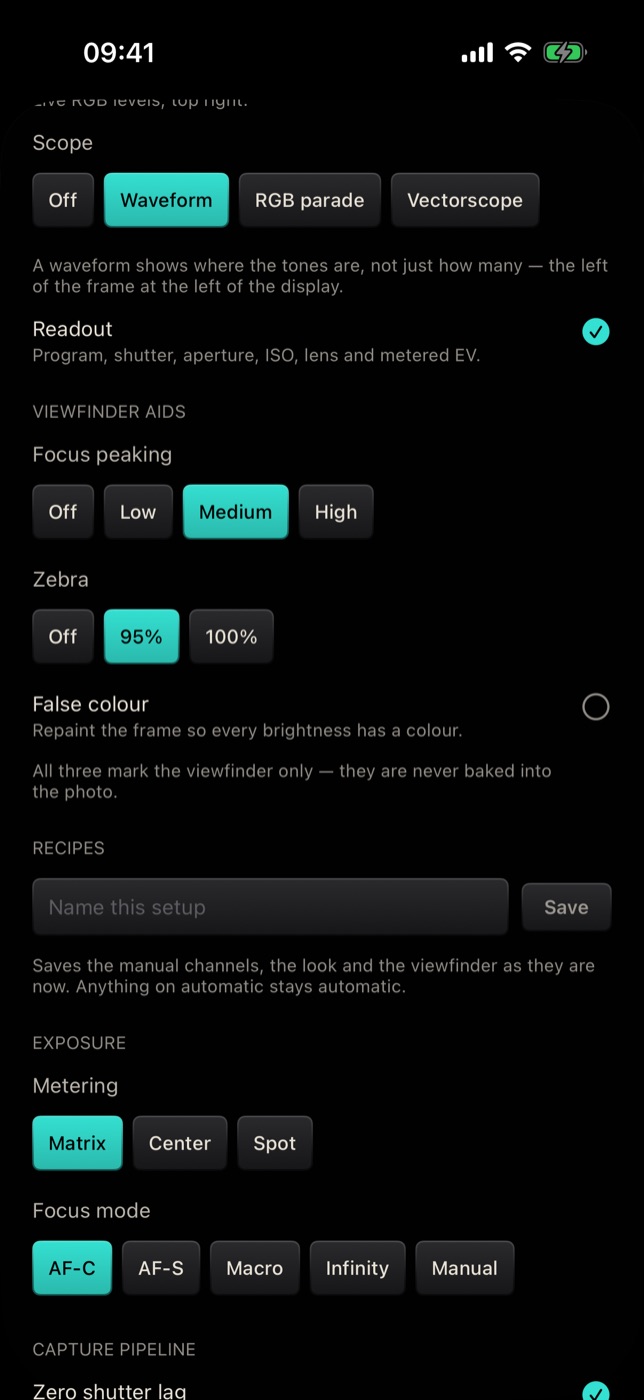
Use a recipe
- Tap a recipe's name to put the camera back into that setup.
- Tap the trash button next to it to delete it.
The summary under each name lists only the channels that recipe pins — for example ISO 160, ISO 400 · 1/250 · 4500K or MF · +0.3 EV. A recipe that leaves every channel on automatic reads Auto.
What a recipe saves
| Saved in a recipe | Not saved |
|---|---|
| ISO, shutter speed, manual focus position and white balance | Drive mode (burst, bracket, interval and the rest) |
| Exposure compensation (EV) | Histogram, scope and readout |
| The look | Capture pipeline, RAW, quality and file settings |
| Focus mode and metering | Controls such as volume keys |
| Grid and crop guide | |
| Focus peaking, zebra and false colour |
Automatic stays automatic
This is the detail that makes recipes useful rather than frustrating. When you save, any channel that is on automatic is stored as automatic — not frozen at whatever the camera happened to be metering at that moment.
So a "Street" recipe with only the shutter locked at 1/500 brings back 1/500 and lets ISO keep adapting to the light, today and next week. Applying a recipe also puts every channel it leaves on automatic back on automatic, so a locked ISO from your last shoot cannot linger into this one.
If a recipe's look has since been deleted, applying it keeps your current look rather than dropping to Original.
Recipe ideas
- Concert — shutter 1/250 to freeze movement, ISO on automatic, spot metering on the performer, zebra at 95%.
- Portrait — false colour on for skin, EV on +0.3, AF-S focus, your favourite skin-friendly look.
- Moving water — shutter at 1/8 or slower, ISO locked low, focus peaking on Medium. Use a tripod.
- Macro — Macro focus mode, focus peaking on High, spot metering.
- Street — a black-and-white look, shutter 1/500, a thirds grid, the rest automatic.
- Golden hour — white balance locked warm, EV at −0.3 to protect the sky.
Tips
- Name recipes by situation, not by numbers. Concert is faster to find than ISO 400 1/250 — and the summary shows the numbers anyway.
- Lock only what matters. The fewer channels a recipe pins, the more places it works.
- Keep the list short. You can keep up to twelve. When the list is full, Filmode tells you to delete one before saving another.
- Update by replacing. To change a recipe, set the camera up again, save it under the same name, and delete the old one.
Free and Pro
Recipes are free, as are the manual controls and viewfinder aids they save.
Frequently asked questions
How many recipes can I keep? Twelve. Past that, delete one to save another.
Does a recipe remember the drive mode? No. Burst, bracket, interval and the other drive modes are set separately under Drive in Advanced camera.
What happens if my phone cannot set a value in the recipe? The camera uses what the active lens supports. Manual controls depend on the camera, so a recipe saved on the main camera may not apply fully on the front camera.
Are recipes the same on Android? Recipes work the same way in Filmode for Android, but they are stored on each device and do not sync between them.
Is a recipe the same as My Camera? No. My Camera saves a look, live effect, framing and flash as a reusable camera you can share. A recipe saves the manual exposure and viewfinder setup.
Try it
Open the Camera tab in Filmode, set up the camera for the place you shoot most, then PRO › MORE › Recipes and save it. For the controls a recipe stores, read Manual camera controls and Exposure aids.