Pro, imported presets and the Filter Store — how the library grows
What the free tier includes, what Pro unlocks, how to import your own .cube and .xmp presets, and the settings worth changing on day one.
On this page
Filmode ships with 43 film looks. You can also bring your own, and buy packs made by other people. Here is how the three routes fit together — and what actually costs money.
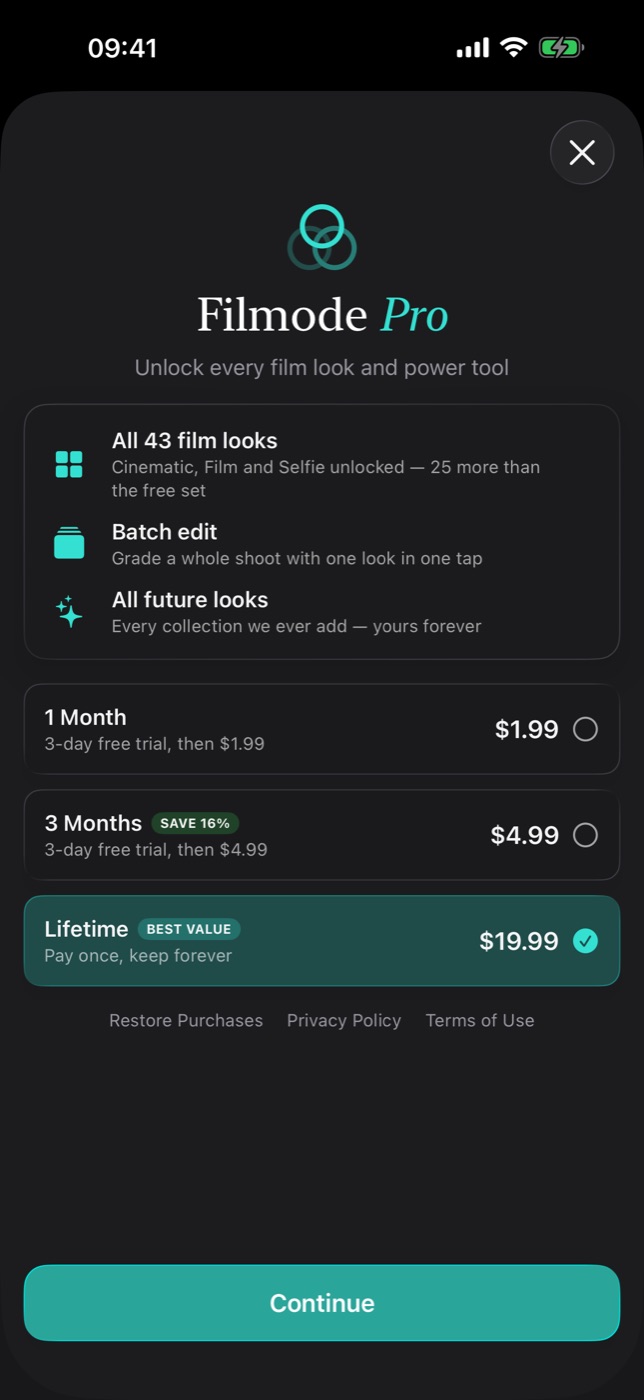
Free vs Pro
The free tier is a real editor, not a demo:
- The Basic and Retro collections
- Every manual adjustment — exposure, tone, HSL, curves, clarity, fade, vignette and the rest
- The live LUT camera
- Projects, recipes, favorites
- Full-resolution export. Saving your photo is never paywalled.
Pro adds:
| All 43 film looks | Cinematic, Film and Selfie unlocked — 25 more than the free set |
| Batch edit | Grade a whole shoot with one look in one tap |
| 100 trend looks | Film Stock, Cine Grade, Street, Portrait, Travel and Retro Digital packs — preview free, Pro to save |
| Pro optics | Pro-Mist, Tilt-Shift, Aerochrome and Zoom Burst in the editor's FX tab |
| Match Photo, longer rolls | Use This Look and Save as LUT from a reference photo; 24- and 36-frame film rolls |
| All future looks | Every collection ever added, yours |
Pro is offered three ways: a yearly subscription that starts with a free trial, a monthly subscription, or a one-time Lifetime unlock. The paywall shows the trial length and price before you confirm anything. Prices are set per store region, so check the sheet in your own app rather than trusting a number in a blog post. Purchases run through StoreKit, and Restore Purchases is on both the paywall and the Settings screen — buy on the iPhone, and it is unlocked on the iPad and the Mac under the same Apple Account.
Importing your own presets
If you already have looks you like, Filmode reads them:
.cube— the standard LUT interchange format, out of Resolve, Premiere, or anything that exports one.xmp— Lightroom presets- LUT images — the PNG/JPEG colour-grid form
They are parsed and baked into 64³ colour cubes, then filed under an Imported collection where they behave exactly like the bundled ones: intensity slider, favorites, recipes, all of it. On the Mac you can go the other way too and export a look as .cube or .xmp for the rest of your pipeline.
Explore ships two sample files specifically so you can try the importer before hunting for your own: a cinematic .cube LUT and a faded-film .xmp preset.
The Filter Store
The store is a remote catalogue of downloadable preset packs, driven by a manifest so new packs appear without an app update. Checkout happens on the web through the Filmode backend, and downloads land straight in your imported-preset library — so a purchased pack ends up in exactly the same place as a .cube you dragged in yourself.
Settings worth opening on day one
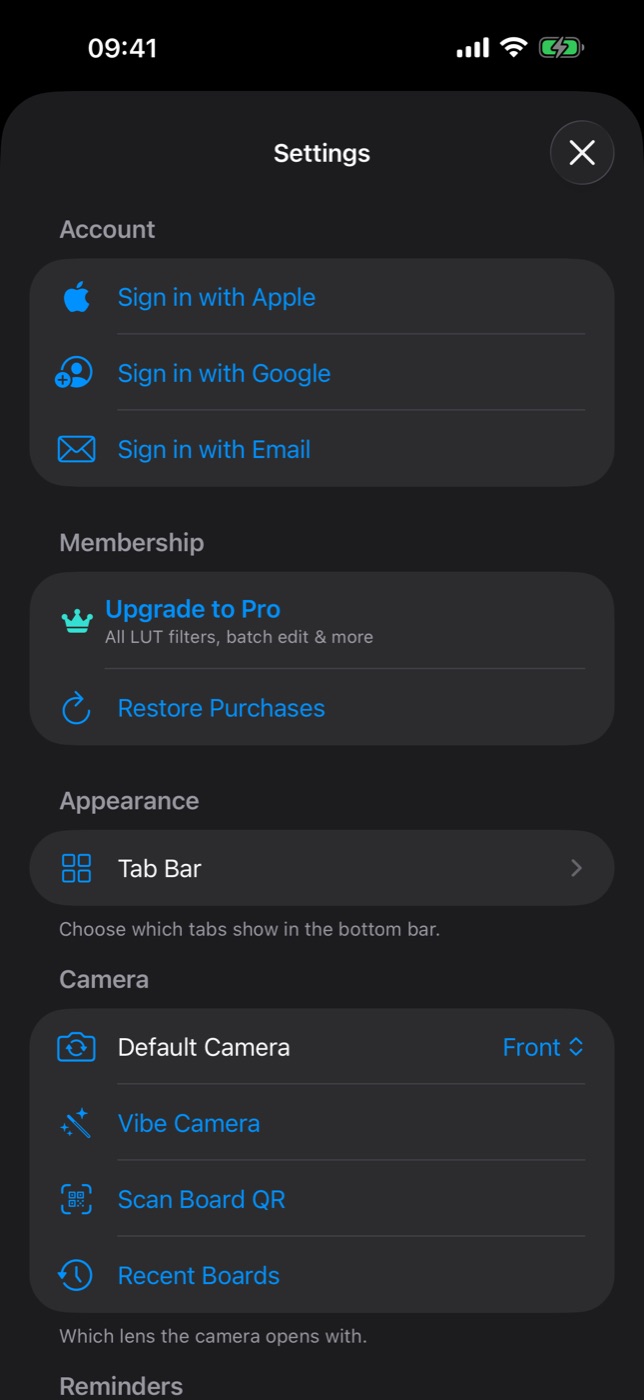
- Account — sign in with Apple, Google or email. This is what connects you to cloud boards; the editor itself needs no account at all.
- Membership — Upgrade to Pro, and Restore Purchases if you already bought it.
- Appearance → Tab Bar — choose which tabs show in the bottom bar. This is where you turn on Memories, the one-photo-a-day calendar, and where you can hide tabs you never use.
- Camera → Default Camera — front or rear, whichever you actually open the app to shoot with. A small setting that saves a tap every single time.
- Camera → Vibe Camera, Scan Board QR, Recent Boards — the doors into the Vibe camera and the shared pin-boards, covered in the last two posts of this series.
Which route should you use?
- Bundled LUTs for everyday grading. Start here; 43 looks is more than most people ever settle on.
- Recipes once you find your look. Cheaper than any pack, because it is yours.
- Imported presets if you already work in Lightroom or a video NLE and need to match a grade you have already committed to.
- The store when you want somebody else's eye rather than your own.