Autumn Grain — 20 new grainy film looks for city autumn
A new Filmode look pack: muted autumn film with capped whites, olive greens, slate skies and warm skin. Two looks are free; all 20 open with Filmode Pro.
On this page
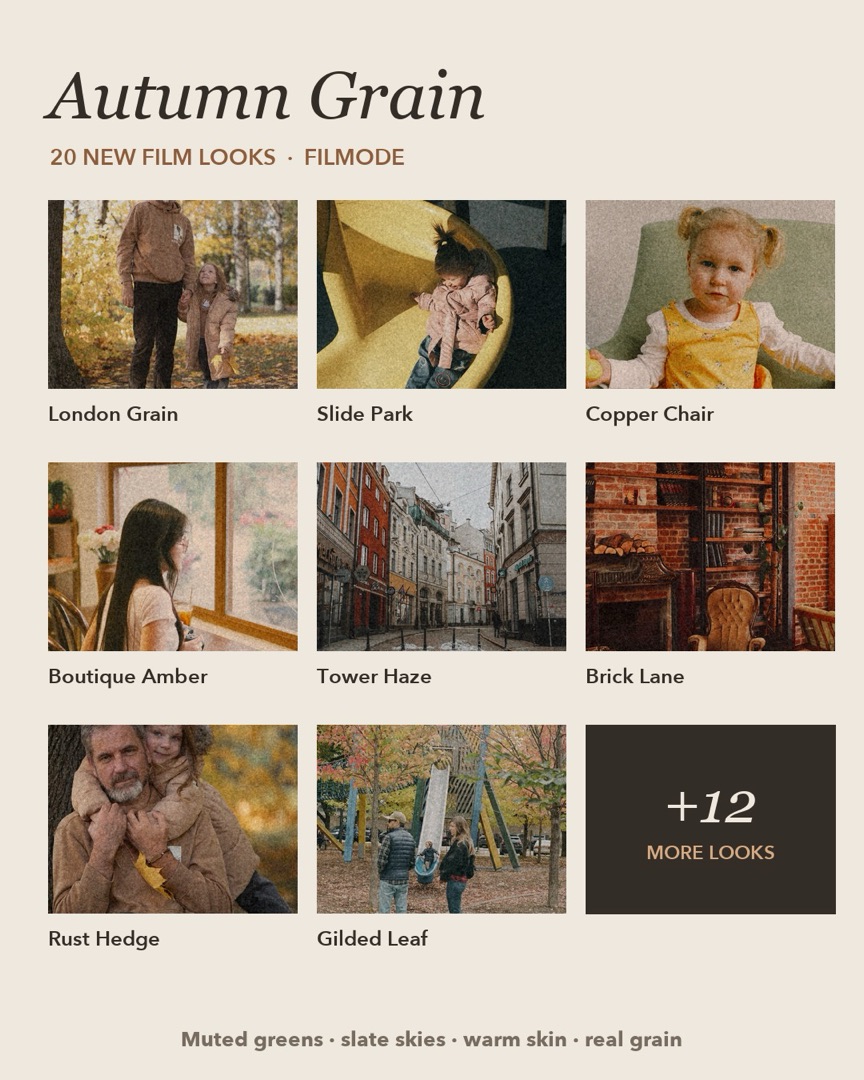
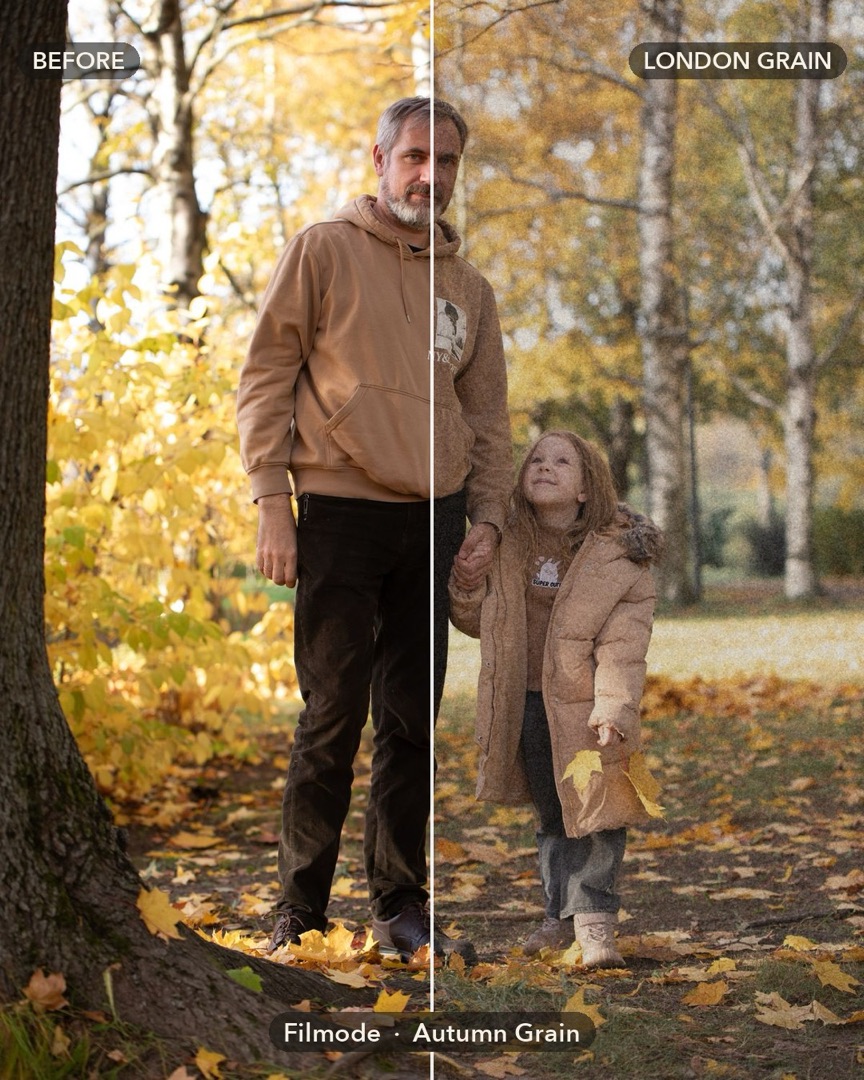
Autumn Grain is a new pack of 20 looks in Filmode, built around one mood: a grey city in October shot on cheap film. Whites stop short of paper white, blacks lift a little, lawns turn olive, skies drain to slate, and coats, leaves and skin stay warm.
It is in the editor's Filters strip and in the camera now. Two looks are free. All 20 open the moment you upgrade to Filmode Pro.
What makes the look
Every look in the pack shares the same few traits, measured from phone photos taken in this style:
- Capped whites. Highlights stop around 85–90% so nothing glares, like a print rather than a screen.
- Olive greens. Grass and hedges are pulled away from bright green toward olive.
- Slate skies. Blue skies are drained to a soft grey-blue.
- Warm skin and rust. Oranges, reds and skin keep their warmth, so people stand out from the muted city.
The grain itself is not baked into the look. Add it with the Grain slider in the editor's FX, so you choose how rough the photo gets.
Find the pack
- Open a photo in the editor and tap Filters.
- Scroll the collection names under the strip to Autumn Grain. It is marked new.
- Tap a look to see it live on your photo, and tap it again for its intensity slider.
- Add Grain in FX — around 20–30 is close to the photos on this page.
In the camera, pick Autumn Grain from the look strip to shoot with it live.
The 20 looks
| Look | Best for | Plan |
|---|---|---|
| London Grain | Autumn streets, the pack's signature | Free |
| Tower Haze | Hazy skies over stone and buildings | Free |
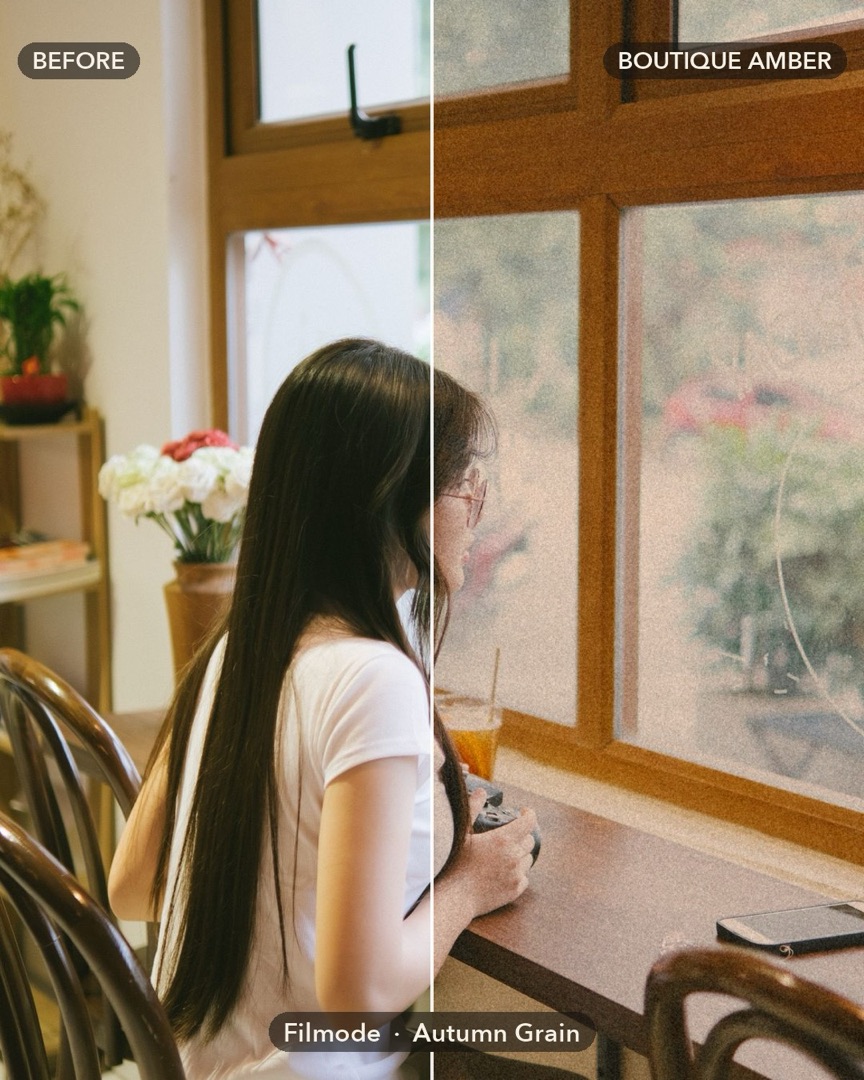
| Boutique Amber | Warm shop and café interiors, peach skin | Pro |
| Navy Room | Dark blue walls against wood | Pro |
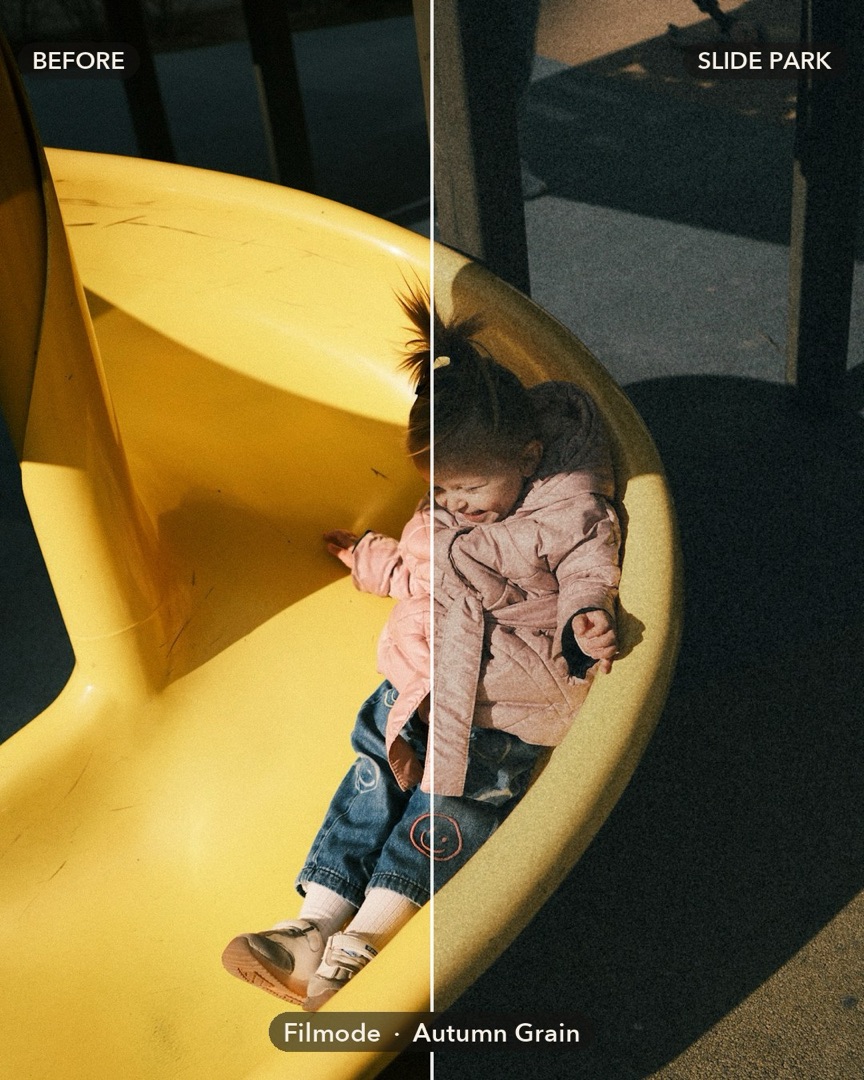
| Slide Park | Afternoon sun and teal shade | Pro |
| Olive Lawn | Parks and gardens | Pro |
| Grey Morning | Overcast days, colour held back | Pro |
| Rust Hedge | Copper leaves and hedges | Pro |
| Tea Room | Soft, creamy café light | Pro |
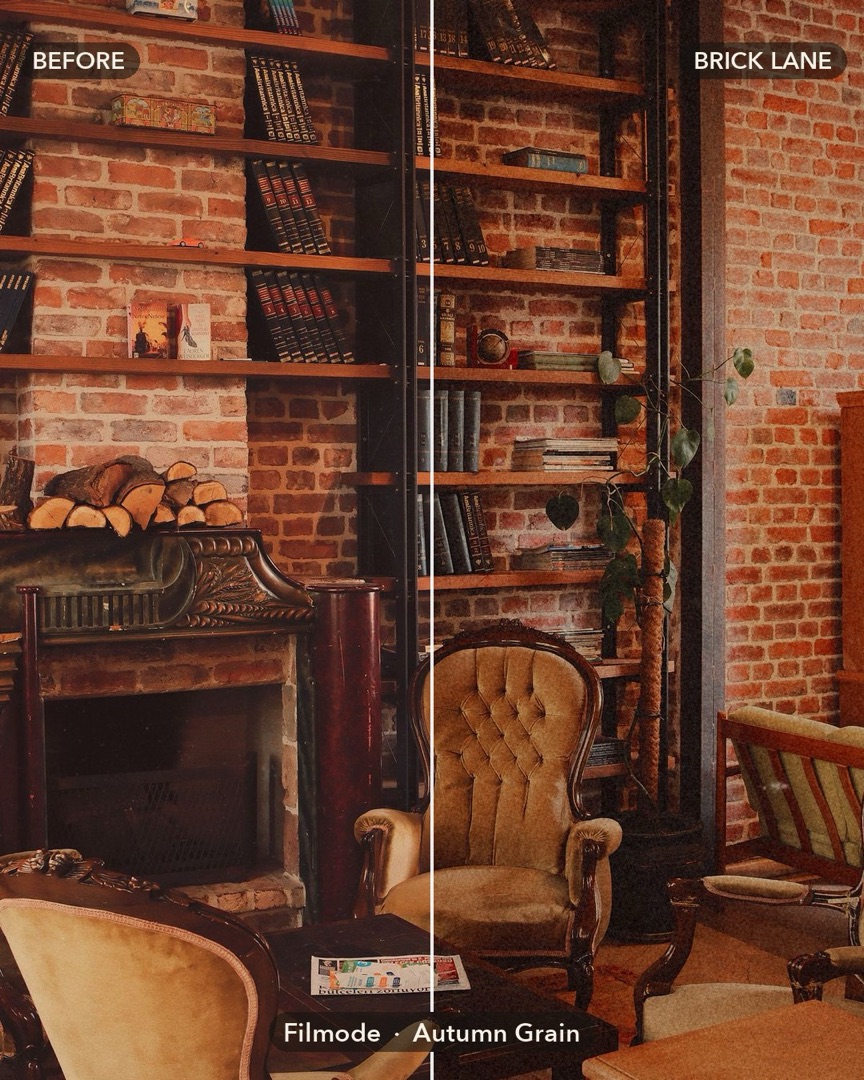
| Brick Lane | Red brick and deep shade | Pro |
| Milk Print | An old faded print | Pro |
| Dusk Walk | Low, warm late-day light | Pro |
| Mono Grain | Warm black and white | Pro |
| Copper Chair | Portraits with velvet copper tones | Pro |
| Gallery Blue | Cool rooms, honey wood floors | Pro |
| Soft Nursery | Bright, soft photos of kids | Pro |
| Rainy Kerb | Cold, wet streets | Pro |
| Gilded Leaf | Yellow leaves turned gold | Pro |
| Sepia Swing | Half-drained sepia | Pro |
| Night Lamp | Tungsten lamps at night | Pro |
Pick a look by scene
- Street and buildings: London Grain, Brick Lane, or Tower Haze when the sky is white.
- Cafés and shops: Boutique Amber for glowing warm light, Tea Room for something softer.
- Parks and leaves: Slide Park for hard sun, Rust Hedge and Gilded Leaf when the leaves have turned.
- Grey or rainy days: Grey Morning and Rainy Kerb keep the mood instead of fighting it.
- Portraits: Copper Chair and Boutique Amber keep skin warm against the muted background.
- Night: Night Lamp for lamps and windows, Dusk Walk just before dark.
Free and Pro
London Grain and Tower Haze are free for everyone, with full-size export. The other 18 are Filmode Pro looks. On the free plan you can still tap any of them and see it live on your photo; the Pro sheet appears when you save a photo with a Pro look on it.
If you have already upgraded, there is nothing to do: the whole pack is unlocked on iPhone, iPad and Mac, in the editor and in the camera, and works with batch edit.
Frequently asked questions
Is the grain part of the look? No. The look sets colour and tone; add grain with the Grain slider in FX so you control how much.
Can I use these looks in the camera? Yes. Pick one in the camera's look strip and shoot with it live. Pro looks need Pro.
Do the looks make the app bigger? No. Like the trend looks, each is stored as a few grading numbers and built on your device the first time you use it.
Can I apply one look to a whole set of photos? Yes, with batch edit on Pro.
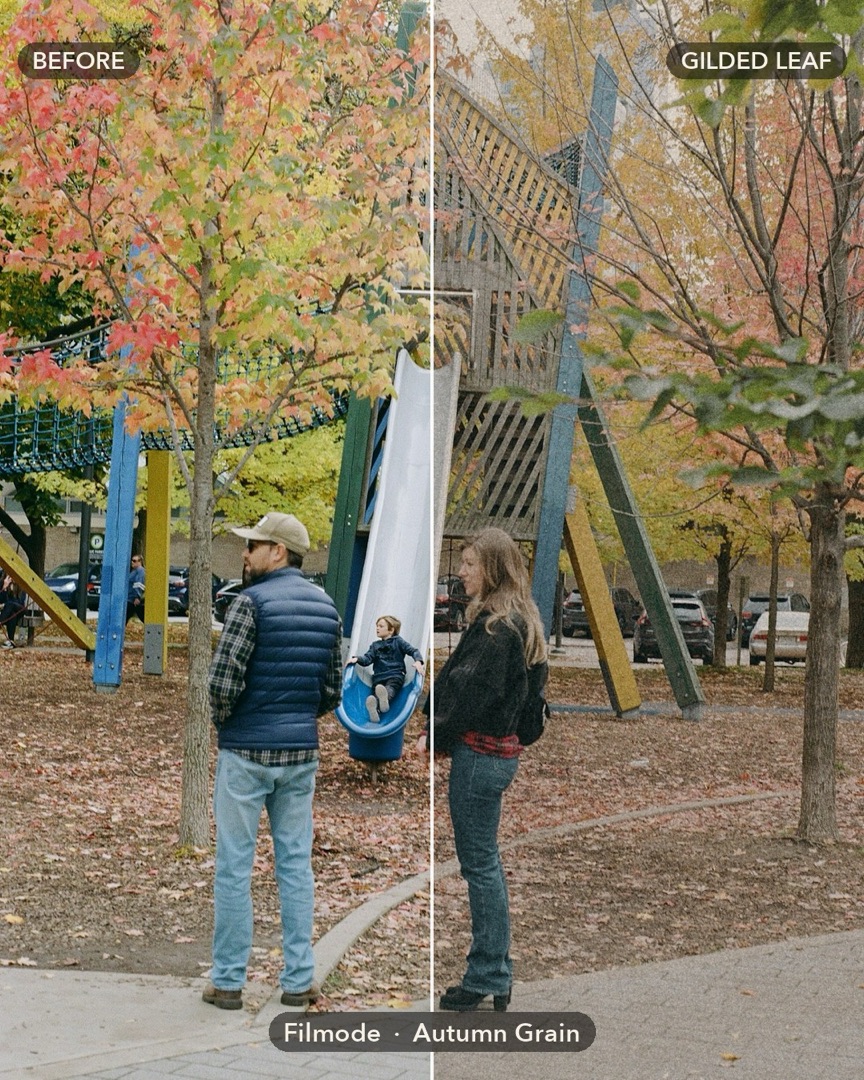
Photo credits
The photos on this page are free photos from Pexels and Unsplash, graded with the Autumn Grain looks: iddea photo, Anna Shvets, Chuot Anhls, Elina Volkova and Harun (Pexels); Vitalii Khodzinskyi and Jim Luo (Unsplash).
Try it
Open a photo in Filmode, tap Filters and scroll to Autumn Grain. For more on picking looks, read 100 trend looks in Filmode.